Find My

Apple Find My app logo
Apple Find My app

When someone misplaces their iPhone, Mac, iPad or Apple Watch, they can use the Find My application on another device to locate it. Hundreds of millions of Apple computers around the globe create a wireless network searching for lost devices.

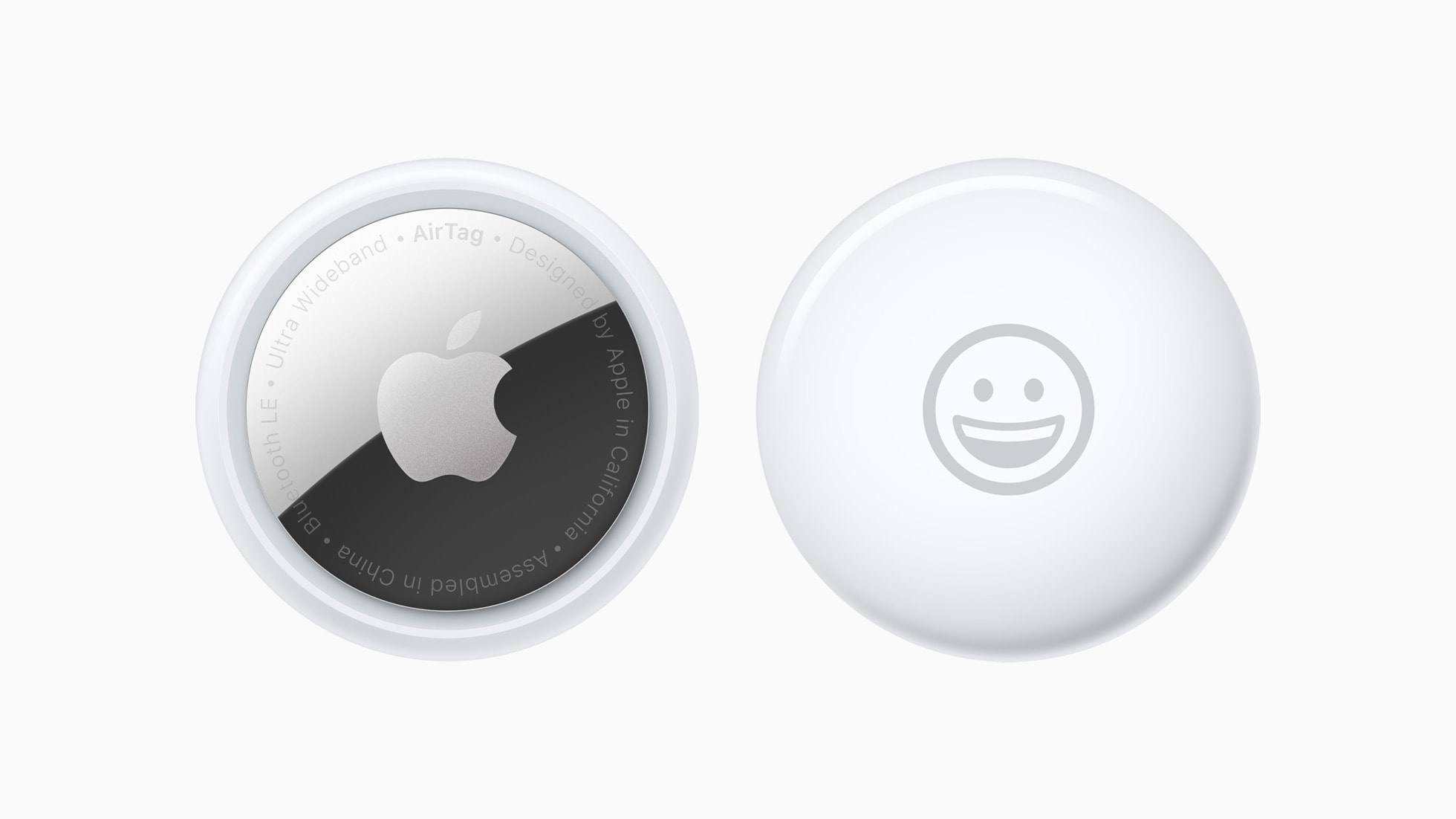
The Find My app can also be used to locate an AirTag. And there are third-party accessories that the acc is compatible with too. There’s the Chipolo One Spot and Card Spot, the Pebblebee Clip and even the PlugBug Travel wall charger.

Read Cult of Mac’s latest posts on Find My:

An AirTag won’t fit in your wallet, but this $24 tracker will

By

Product photo of the MagTag wallet tracker card that works with Apple Find My network
Quit tearing your house apart trying to find your wallet.
Photo: Cult of Mac Deals

While Apple’s AirTag is an incredible invention, helping you locate misplaced keys or luggage in seconds, the tracking tag’s circular design leaves an awkward lump if you cram one in your wallet. Luckily, the MagTag — a credit card-size wallet tracker that will slide right in — also works with Apple’s Find My network.

Yes, the MagTag functions much like an AirTag, giving you an easy way to find a lost wallet. And yet its sleek design won’t leave an unwanted bulge. It’s cheaper than an AirTag, too, and it’s even more affordable with an exclusive discount from Cult of Mac Deals.

For a limited time, you can get a MagTag for just $23.99.

New Satechi Find My accessories include eyeglasses case, wallet tracker

By

Satechi expands FindAll accessories
Four new accessories, including eyeglasses case and wallet tracker, bring the FindAll lineup to five items.
Photo: Satechi

Satechi expanded its FindAll lineup Wednesday, adding four new trackable accessories that seamlessly integrate with Apple’s Find My network. The new items — an eyeglasses case, a wallet tracker, a luggage tag and a keychain — join Satechi’s passport holder.

Unlosable smart bottle with Find My doubles as iPhone stand — for a price [Review] ★★★

By

Journey Reevus bottle with Find My★★★
You can track the bottle on Apple devices using Find My. If you leave it behind, you'll get alerts.
Photo: David Snow/Cult of Mac

Lost your water bottle again? Journey Reevus Insulated Stainless Steel Bottle could fix that, permanently — if you’re willing to pay for it. It’s pricey because it’s not just another insulated stainless steel bottle, but the first one that integrates with Apple Find My tracking and functions as a MagSafe iPhone stand. So at $90 (or $76.50 with launch discount), it’s kind crazy steep. But this Reevus smart bottle review finds it might actually be worth it, especially if you’re one of those people who carries around water bottles all the time and tends to lose them.

Find My-compatible water bottle doubles as iPhone stand

By

Journey Reevus smart water bottle
It's not just an insulated water bottle you can't lose (with Find My), it's an iPhone stand that can work as a tripod or camera gimbal.
Photo: Journey

A smart new water bottle called Reevus integrates with Apple’s Find My network so you never leave it behind at the gym, and it doubles as an iPhone stand and camera gimbal for steady photos and videos on your adventures, Journey said Friday. It called the water bottle the first of its kind.

“As eco-conscious people increasingly favor bottle monogamy, they’re investing in better quality bottles,” Journey said. “This is intensifying their dependence on un-losable bottles — because it’s too costly and disruptive to lose or misplace a bottle when you rely on it all day and every day.”

Get a premium MagSafe wallet at a bargain price

By

Photo of a folding MagSafe wallet with Find My that contains a blue credit card.
Save 25% on this RFID-blocking MagSafe wallet that doubles as an iPhone stand.
Photo: Cult of Mac Deals

Tired of retracing your steps to find your lost wallet? This Folding MagSafe wallet with Find My can stop your endless searching. Snag one, and you can use real-time tracking and audio alerts to quickly locate it, whether it’s nearby or across town.

Designed to work seamlessly with iPhone 12 through iPhone 16, it offers secure storage for up to eight cards while doubling as a versatile accessory. For a limited time, you can save 25% and get one for $29.99. (Note: This MagSafe wallet is not compatible with iPhone 12 mini or iPhone 13 mini, or with iPhone 16e.)

How to find your lost iPhone using Find My (and Apple Watch)

By

Find My iPhone
One of the best iPhone features.
Image: D. Griffin Jones/Cult of Mac

Find My iPhone, a feature available in Apple’s Find My app, will help you locate your lost phone. You can find it using any other Apple device you own or by borrowing a friend’s device. You can even ping your iPhone from your Apple Watch.

From Find My, you can also remotely lock down your lost iPhone, put the device into a special Lost Mode, or even wipe its contents. You should take a peek at this incredibly useful app before you have to.

Keep reading or watch our video.

How to share an AirTag with other people

By

A New York Times reporter found that AirTag tracking and privacy alerts can work better than other trackers.
You can share an Apple AirTag with up to five people. Here’s how.
Photo: Apple

When Apple launched the AirTag, you could link the tracking tags to only one person. Luckily, Apple expanded that. Now you can share an AirTag with up to five other people, so each one can see where it is.

Here’s how to share an AirTag with family members or friends.

Why AirTags make the ultimate stocking stuffers for Apple fans

By

AirTag ultimate Apple stocking stuffer: Looking for a last-minute gift for the Apple fan in your life? You can't go wrong with AirTags.
Make things merry with a gift any Apple fan will appreciate.
Photo: Luke Southern/Unsplash License/Modified by Cult of Mac

If you’re looking for a last-minute gift for an Apple fan in your life, there’s one surprisingly simple answer: Get them an AirTag. Or a bunch of them. With frequent discounts from Amazon and other retailers, AirTags make the ultimate stocking stuffer for anybody in the Apple ecosystem.

United gets on board with AirTag’s new way to find lost luggage

By

United gets on board with AirTag’s new way to find lost luggage
United passengers who use AirTag can now easily tell the airline where their lost luggage is.
Photo: United Airlines

United Airlines built support for AirTag’s new Share Item Location into its app. This lets flyers easily show the airline the real-time location of the tracker tag hidden in their lost luggage.

The optional tracking feature debuted in iOS 18.2 on Wednesday.

How to share your AirTag location with an airline to find lost luggage

By

Find lost luggage by sharing your AirTag location with your airline
Now you can temporarily share the location of your lost bag with your airline.
Image: Apple/Cult of Mac

Apple added Share Item Location to the Find My app to let AirTag users securely share with an airline the exact position of a tracking tag attached to lost luggage.

Here’s how to use the new feature to show an airline employee that your bag is actually just outside Concourse C in the Atlanta airport, not in Denver where they think it is. They can even see the exact position of the luggage.

Find lost luggage by sharing your AirTag location with your airline

By

Find lost luggage by sharing your AirTag location with your airline
Now you can temporarily share the location of your lost bag with your airline.
Image: Apple/Cult of Mac

Share Item Location lets AirTag users securely share the location of their tracking tag with an airline. The goal is to help find and recover lost luggage.

“The Find My network and AirTag have proven to be a powerful combination for users while traveling, providing invaluable location information when bags have been misplaced or mishandled,” said Eddy Cue, Apple’s senior vice president of services, in a press release Monday. “With Share Item Location, we’re excited to give users a new way to easily share this information directly with third parties like airlines, all while protecting their privacy.”

How to find your lost iPhone with Apple Watch

By

Can You Hear Me Now?
There are several ways you can quickly find a misplaced iPhone with another Apple device.
Image: D. Griffin Jones/Cult of Mac

Everyone misplaces their iPhone.* You’re walking around, you set down your iPhone, you do some chores, you get ready to go. Where is it? If you own an Apple Watch, it really is the fastest way to find your lost iPhone.

It’s totally easy to ping your iPhone from your Apple Watch. At the push of a button, you can make your iPhone ring, even if it’s on silent. And, while you might know about the basic feature that lets you ping your iPhone, the Apple Watch also offers advanced options for tracking down your missing device.

Bonus: Even if you don’t own an Apple Watch, anyone in your Family Sharing group can ring your iPhone even louder with the Find My app. And if you don’t have a family, you can use any other device signed into your Apple account.

Meet friends, track kids, send your ETA: How to use Find My

By

Image of Find My location sharing on iPhone with a crowded city street, captioned “Find The Whole Fam”
Find My is the built-in way to share location on iPhone.
Image: Apple/D. Griffin Jones/Cult of Mac

Location sharing is an incredibly versatile feature of iOS that makes coordinating with others much easier. Whether you’re meeting up with someone, exploring a new place, or spending the day out with friends, it’s a breeze to share your location. This feature is especially helpful in large public spaces, such as malls, amusement parks, and stadiums. If you’re wondering how does sharing location work on iPhone, you can check out this detailed guide: Everything You Need to Know About Location Sharing in iOS.

Giving directions on precisely where to pick up someone along a street block or in a parking lot is made much easier by sending a pin in an iMessage chat. With Family Sharing, I can see if my wife is on her way home without first sharing her ETA in Apple Maps. Another benefit is that I can use Find My to ping her phone if it’s lost in the house.

Here’s how to use location sharing.

Easily track PlugBug wall charger with built-in Find My support [Review] ★★★★

By

Twelve South PlugBug 50 Review★★★★
You'll always be able to find the Twelve South PlugBug 50.
Photo: Ed Hardy/Cult of Mac

Twelve South PlugBug is the first power supply to support Apple’s Find My technology. That means the USB-C wall charger can be located with an iPhone app, and it warns its owner if it’s being left behind in a coffee shop or hotel room.

One version includes a pair of ports and puts out 50W. A second has four USB-C ports and 120W.

I put PlugBug through real-world testing, and came out loving it.

Super-loud AirNotch Pro tracker works with Apple’s Find My network

By

Rolling Square AirNotch Pro and AirCard Pro
Rolling Square AirNotch Pro and AirCard Pro tracker tags are louder than AirTag.
Photo: Rolling Square

Rolling Square’s new AirNotch Pro keyring tracker uses a robust, water-resistant design. It’s louder than Apple’s AirTag, and even glows in the dark. Plus it connects to Apple’s Find My network.

The accessory-maker also unveiled AirCard Pro, a slim version for wallets and passports, on Monday.

How to reset AirPods Pro

By

How to Reset AirPods Pro
Discover the difference between soft and hard resets.
Photo/Graphics: Apple/Rajesh Pandey/Cult of Mac

Are your Apple earbuds acting weird? Sometimes you need to reset your AirPods Pro, AirPods Max or regular AirPods to eliminate connection problems and other minor glitches. You have two possible courses of action: a hard reset and a soft reset.

Follow this guide to learn the difference between those two options, plus how to reset, unpair and remove the earbuds from the Find My network.

How to ping your lost Apple Watch from your iPhone

By

An image of an iPhone with the words
It's not easy to find in a pile of miscellaneous clutter.
Image: D. Griffin Jones/Cult of Mac

You can ping a lost Apple Watch from your iPhone, thanks to iOS 17 and watchOS 10. The reverse has always been a cool feature of the Apple Watch, helping you find a lost iPhone you left somewhere nearby.

If you take your Apple Watch off at the end of the day, forgetting to throw it on the charger, you might not remember where you left it the following morning. Now, you can find a lost Apple Watch from your iPhone. Here’s how it works.

Apple Watch tracks down stolen luggage when airline can’t

By

Apple Watch tracks stolen luggage
Yep, another case solved by Apple location apps.
Photo: D. Griffin Jones/Cult of Mac

In a surprising incident at Fort Lauderdale-Hollywood International Airport, an Apple Watch played a pivotal role in helping a determined passenger track down her stolen luggage when Spirit Airlines couldn’t.

You expect this sort of thing from AirTag, a dedicated tracker. But this time, an Apple Watch and the Find My network came to the rescue.

Teen’s dislodged AirPod tracks alleged hit-and-run driver

By

AirPods tracks alleged hit-and-run driver
Here's the car the sheriff's department tracked with the help of an errant AirPod earbud.
Photo: Martin County Sheriff's Office

AirPods are great earphones, but did you know they can also be crime fighters? In Florida, a dislodged AirPod tracked an alleged hit-and-run driver after a bike-riding teen’s head went through his passenger window and the earbud popped out and got stuck under a floormat.

Location tracking on that little earbud led straight to an arrest on felony charges.

Slim new Find My tracking card recharges via MagSafe

By

Nomad Tracking Card with iPhone
You can use Find My on your iPhone or another device to track the card.
Photo: Nomad

The slim new Nomad Tracking Card works with Apple’s Find My app on your devices and recharges via MagSafe to help you keep tabs on your wallet, purse or other valuables, Nomad said Tuesday.

The credit card-sized tracker goes for $40 individually or $120 for a four-pack.

New Apple ad promises iPhone 15 can find your Mandalorian friends

By

Apple Find My Friends ad
He not only carries a thermal detonator, he's got an iPhone 15 with Precision Finding.
Photo: Apple

A new Find Your Friends ad Apple dropped Friday connects the Find My universe with the Star Wars universe, as Boba Fett uses his iPhone 15 in the video to locate fellow Mandalorians in a crowded mall. Or wait, maybe it’s a convention center.

Yeah, it’s a guy in homemade Mandalorian battle gear going off to find like-minded nerds at a raucous Star Wars convention. It’s pretty funny.

How to remove an Apple ID from an iPhone without the password

By

Unlock Apple ID
Remove your Apple ID without a password from your iPhone.
Image: D. Griffin Jones/Cult of Mac

It’s possible to remove an Apple ID from your iPhone without a password using UnlockGo.

You can unlock iCloud Activation Lock without a password or the previous owner, remove a forgotten Screen Time passcode without data loss, bypass MDM locks and more. It’s a really powerful app and it’s available for both Mac and PC.

SPONSORED
This post is brought to you by UnlockGo.

If you get a second-hand iPhone but find out the seller didn’t fully reset it beforehand, UnlockGo will fix it. Here’s how it works.

Android’s Find My clone launches along with Apple-compatible tracker tags

By

Google Android Find My Device
Google demonstrated its innovation by copying Apple's Find My.
Photo: Google

Google thinks Apple’s Find My network is so clever it “borrowed” the idea. After announcing the system last year, Android’s Find My Device network is ready to locate misplaced handsets, tablets and tracking tags.

Aside from an opportunity to mock Google for its “innovation,” the new system is relevant to iPhone users because Rolling Square unveiled a pair of tags that support both Google’s and Apple’s system.