Apple Intelligence is a suite of AI-powered features available on iPhone, iPad and Mac. The platform utilizes on-device computation as well as server-based processing.
Apple Intelligence enables system-wide writing tools, summarization, visual look-up, image generation, automation and more. An additional layer of functionality is integration with OpenAI’s ChatGPT.
Apple Intelligence was announced during the WWDC24 keynote, but was not present in the first version of iOS 18 in September. The first Apple Intelligence features, like Writing Tools and Summaries, are available in iOS 18.1, iPadOS 18.1 and macOS 15.1 Sequoia. Updates in iOS 18.2 and macOS 15.2 add even more features, like Genmoji and Image Playground. visionOS 2.4 will bring Apple Intelligence to the Vision Pro.
Apple Intelligence is a powerful LLM that runs both in the cloud and on-device.
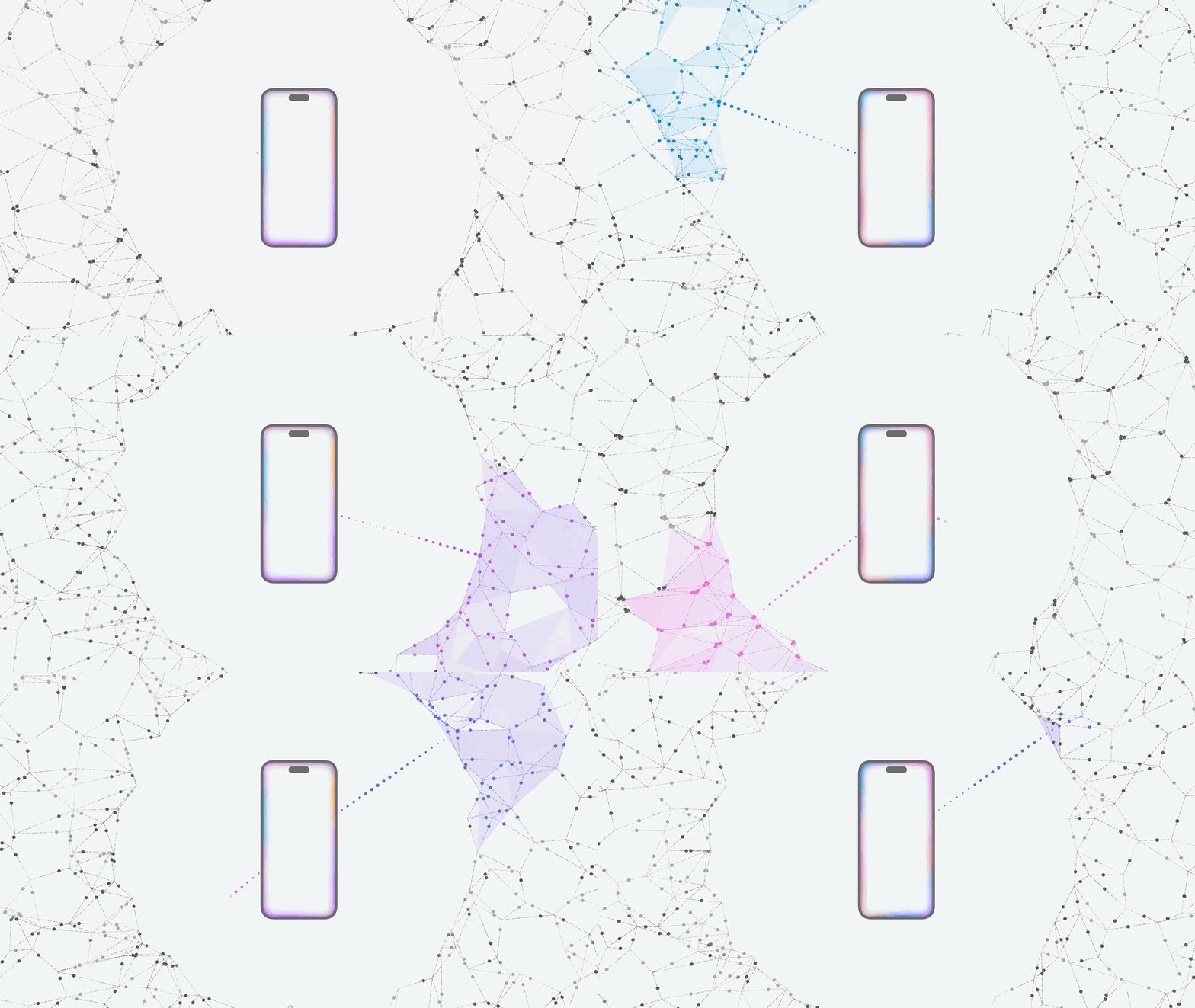
To preserve user privacy, Apple Intelligence works in three key ways. Apple says its unique method will produce highly personal results while maintaining the highest level of data privacy.
Apple Foundation model
Apple Intelligence is powered by two foundation models, a large-language model and an image diffusion model. A system of light-weight adapters can plug into these models to power all kinds of different features.
Two versions of the Apple Foundation model (AFM) were created to run on-device and in the cloud.
On-device AI
The first level of AI computation takes place on the Apple device itself. For that reason, Apple Intelligence requires recent hardware. Only Macs and iPads with Apple’s M-series chips, along with the iPhone 15 Pro and iPhone 16 lineup, can run Apple Intelligence.
A semantic index can tap into the data that third-party apps store on your device. This can include records of your email, conversations, files, photos, contacts and more. The semantic index will be used to power the knowledge Siri can build about you to answer more useful questions about your life, like an all-knowing assistant.
Also stored on-device is the app intents toolbox. This is a list of features and capabilities that are offered by the apps you have installed on your device. Siri will be able to control apps using features in the toolbox, expanding the voice assistant to handle many more kinds of tasks.
Private Cloud Compute
For tasks requiring more computing power, Apple created Private Cloud Compute. This sends the user’s query to Apple servers, with end-to-end encryption to preserve privacy.
Apple designed this off-device computing platform without persistent storage. No user information stays on Apple servers, minimizing the possibility of a data breach. Sebastien Marineau-Mes, Apple’s vice president of intelligent system experience engineering, says this unprecedented level of security in cloud computing makes it “the most advanced security architecture” for a cloud service like this.
The software images that power Private Cloud Compute servers are publicly available. This allows security researchers to analyze and verify Apple’s security claims.
ChatGPT integration
ChatGPT is integrated into two Apple Intelligence features, starting with iOS 18.2. When asking Siri a general knowledge question (outside Siri’s current integration with Wikipedia, math and movie, TV and sports trivia), you can ask ChatGPT. And for text generation, ChatGPT is integrated into the system writing tools.
Each query requires explicit permission to pass the user’s info to OpenAI’s chatbot.
Anyone can use these features for free, without creating an account. If you have a ChatGPT account and want to access paid features and higher usage limits, you can sign in.
The features will be powered by OpenAI’s impressive GPT-4o. While terms of the controversial partnership between Apple and OpenAI remain confidential, no money has reportedly changed hands.
Key features of Apple Intelligence
Smarter next-generation Siri
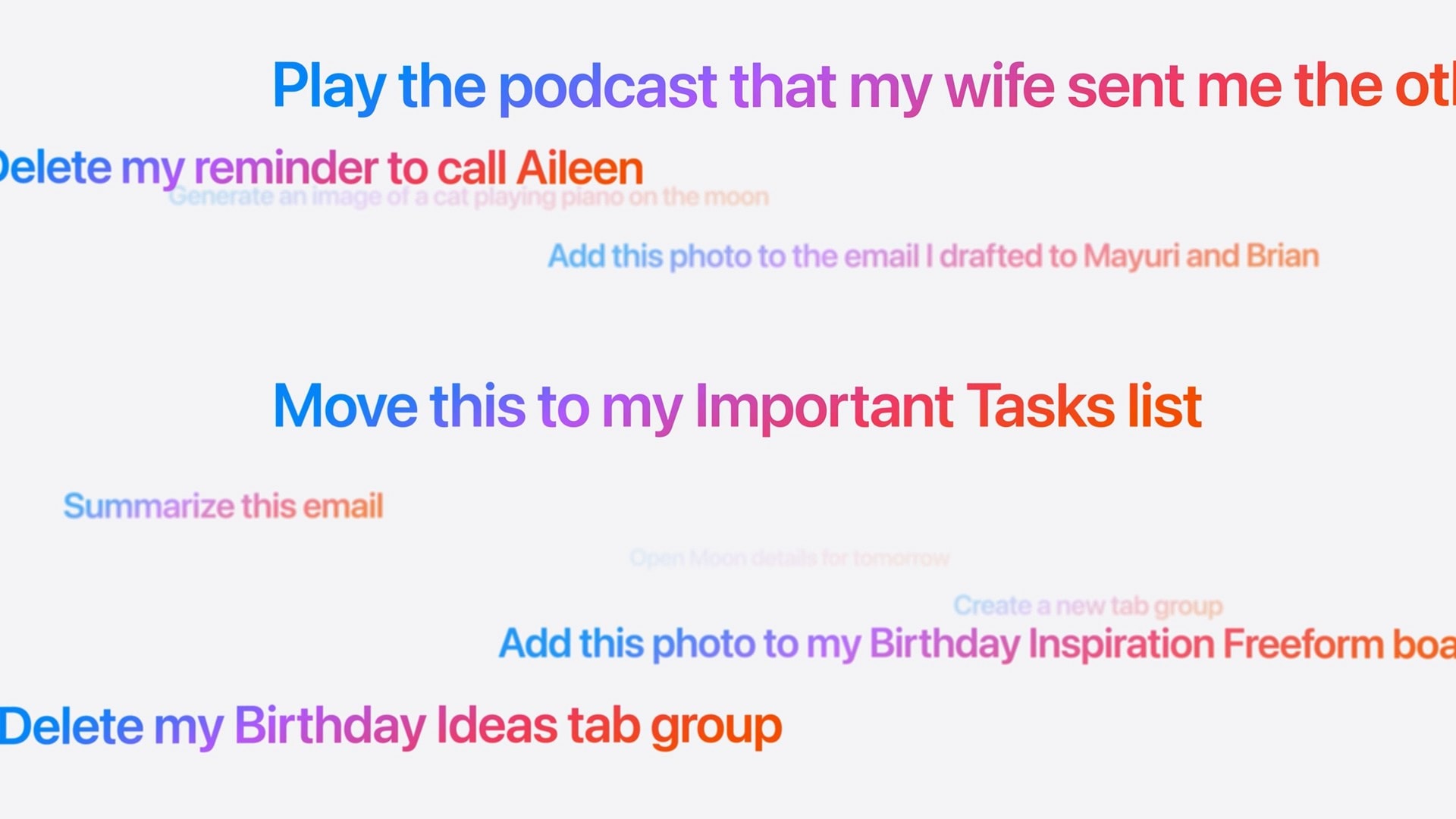
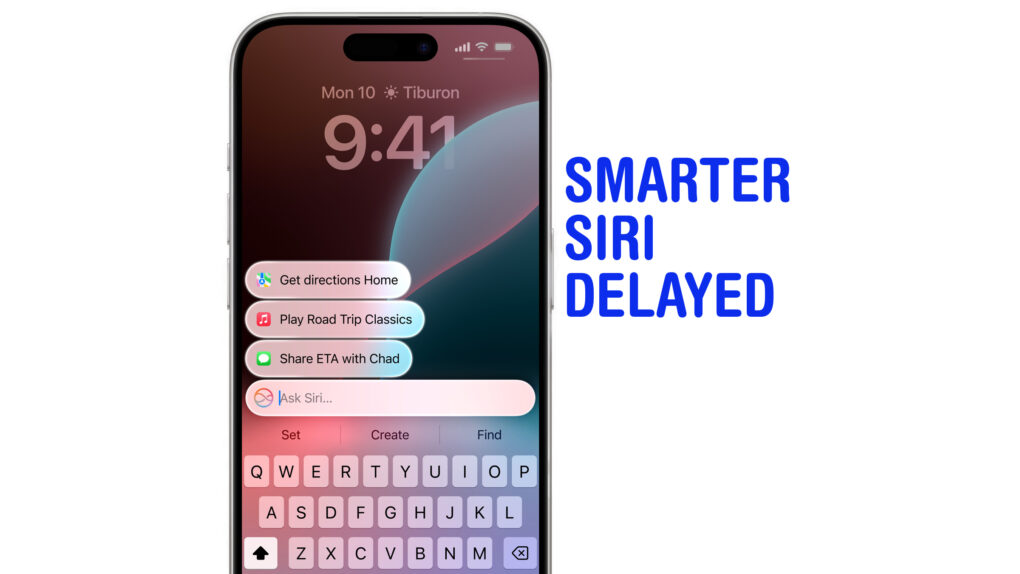
These are the kinds of things you’ll be able to ask the new, smarter Siri.
In iOS 18.1, Siri has a few new conveniences:
Siri can better understand natural language if you stumble over your words and stay aware of the context if you ask multiple questions.
Siri’s Apple product knowledge can answer your questions about Apple products and software features.
Text to ask Siri by double-tapping the Home Bar at the bottom of the screen. Handy if you don’t want to talk aloud to your iPhone.
iOS 18.2 adds integration with ChatGPT:
Asking Siri a general knowledge question will pass the query onto ChatGPT to give an answer.
You can ask Siri “What’s this?” when you’re looking at a photo, watching a video, reading an article and more. ChatGPT will look at a screenshot and give an explanation.
Using Visual Intelligence, you can ask ChatGPT about objects around you using your camera.
A more substantial update, likely arriving early next year, will provide a more substantial revamp of versatile new capabilities:
Siri will build on a personal context for answering questions relevant to you and your life, drawing on information currently on-screen and stored inside apps, messages, contacts, mail and more.
Siri will be able to take action inside third-party apps on your behalf.
Siri will be context-aware of the things on your screen.
Use Writing Assistant to improve your writing skills.
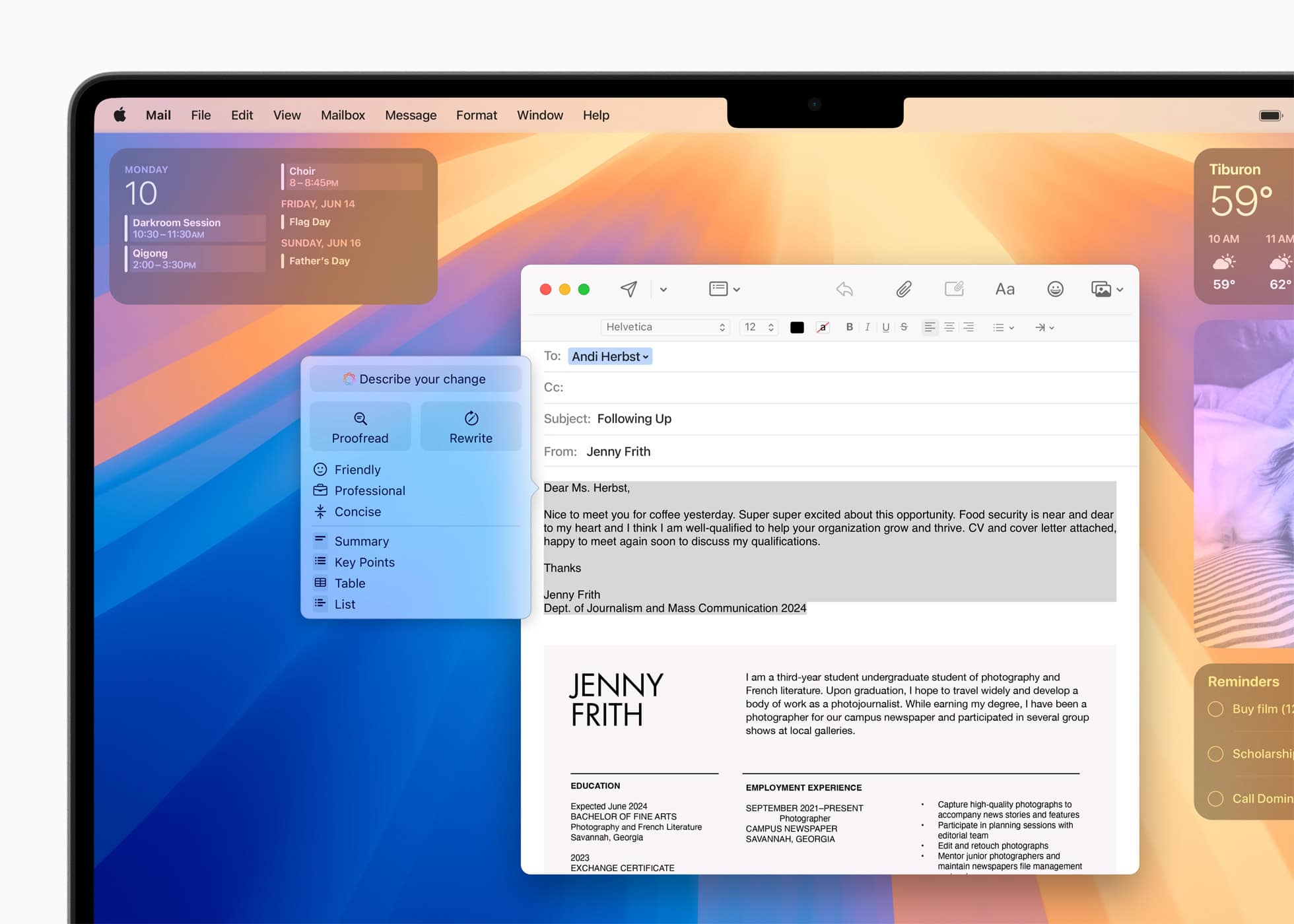
The AI-powered Writing Tools in Apple Intelligence function system-wide, including in third-party apps. They include: Rewrite, Proofread and Summarize. Similar to competitors’ AI-powered writing tools, they will give users the ability to quickly improve their written words.
Describe your change lets you type in a specific change you want to make, like “Make it sound Shakespearean” or “Make it title case.”
Rewrite lets users overhaul their wording, and toggle the tone from friendly to concise to professional.
Proofread fixes common grammar and spelling errors, and makes suggestions to enhance writing.
Summarize will generate summaries of long passages, as well as creating lists of key points, tables and more.
ChatGPT functionality in iOS 18.2 lets you compose text based on a prompt using the powerful GPT-4o.
When replying to text message or email, you’ll see suggested replies. It can also make sure your reply addresses every question you’ve been asked.
New features in Photos
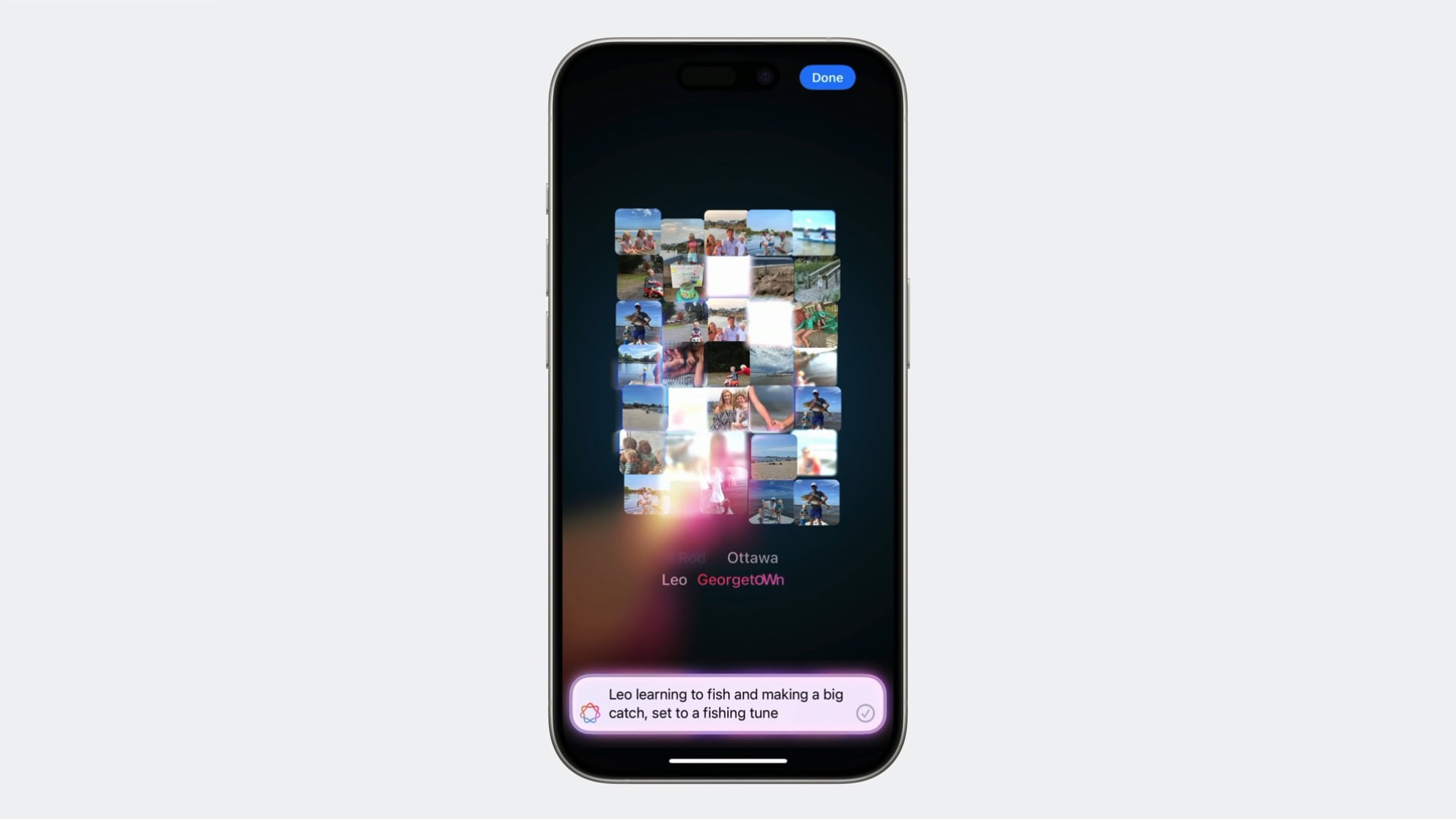
Generate a memory movie from a prompt using Apple Intelligence.
Image Clean Up is a new way to edit your pictures. If you have a picture that’s otherwise great, aside from one distracting thing in the background, it’s easy to remove. Just circle part of an image to have AI fill it in. It’s a new tool that you can access just by tapping the Edit button in Photos, alongside cropping, red eye and other image tools.
If you’re trying to find a specific photo or video, you can now search using natural language, like “video of Kim skateboarding wearing a blue sweater.”
You can create memory movies with a natural language prompt. Apple Intelligence understands the context of your request, the type of images it should look for, the people in your photos, the story told through the sequence of image, and even the right Apple Music track to set it to.
Image Playground
Create custom artwork with Image Playground.
Apple Intelligence can generate AI images on-device from Messages, Notes and Apple’s new Image Playground app. Users enter a prompt describing the image they want, and Image Playground creates images in one of two styles: Animation and Illustration.
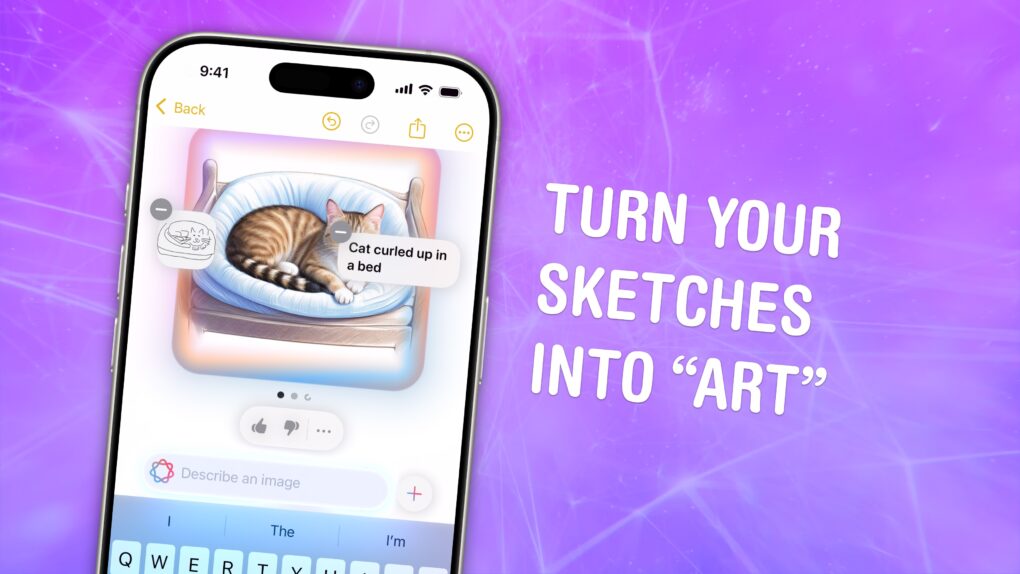
A similar feature, Image Wand, will let you turn your sketches or pages of notes into a drawing using a third style, Sketch.
Genmoji
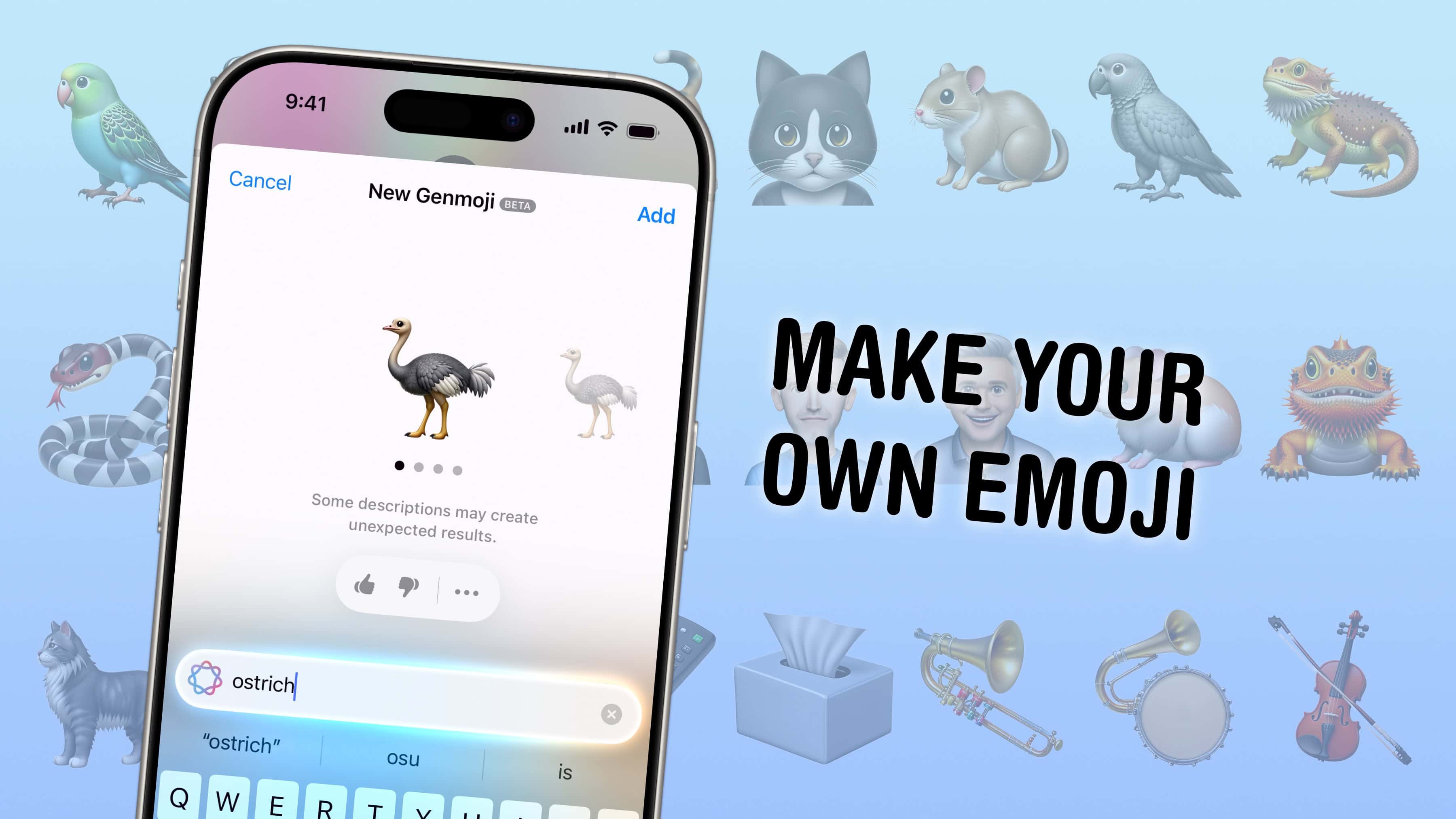
Don’t have the emoji you need? Make your own.
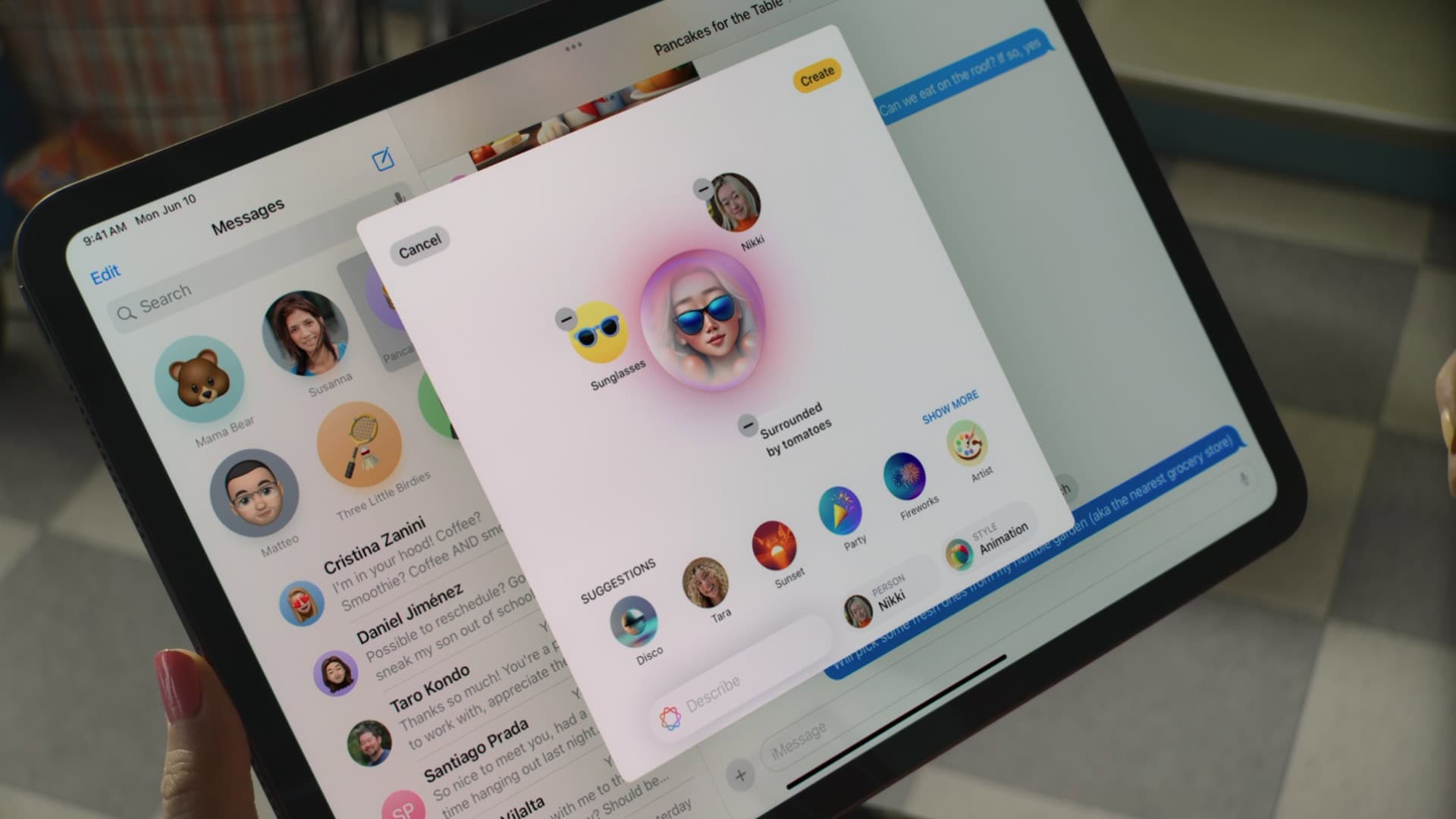
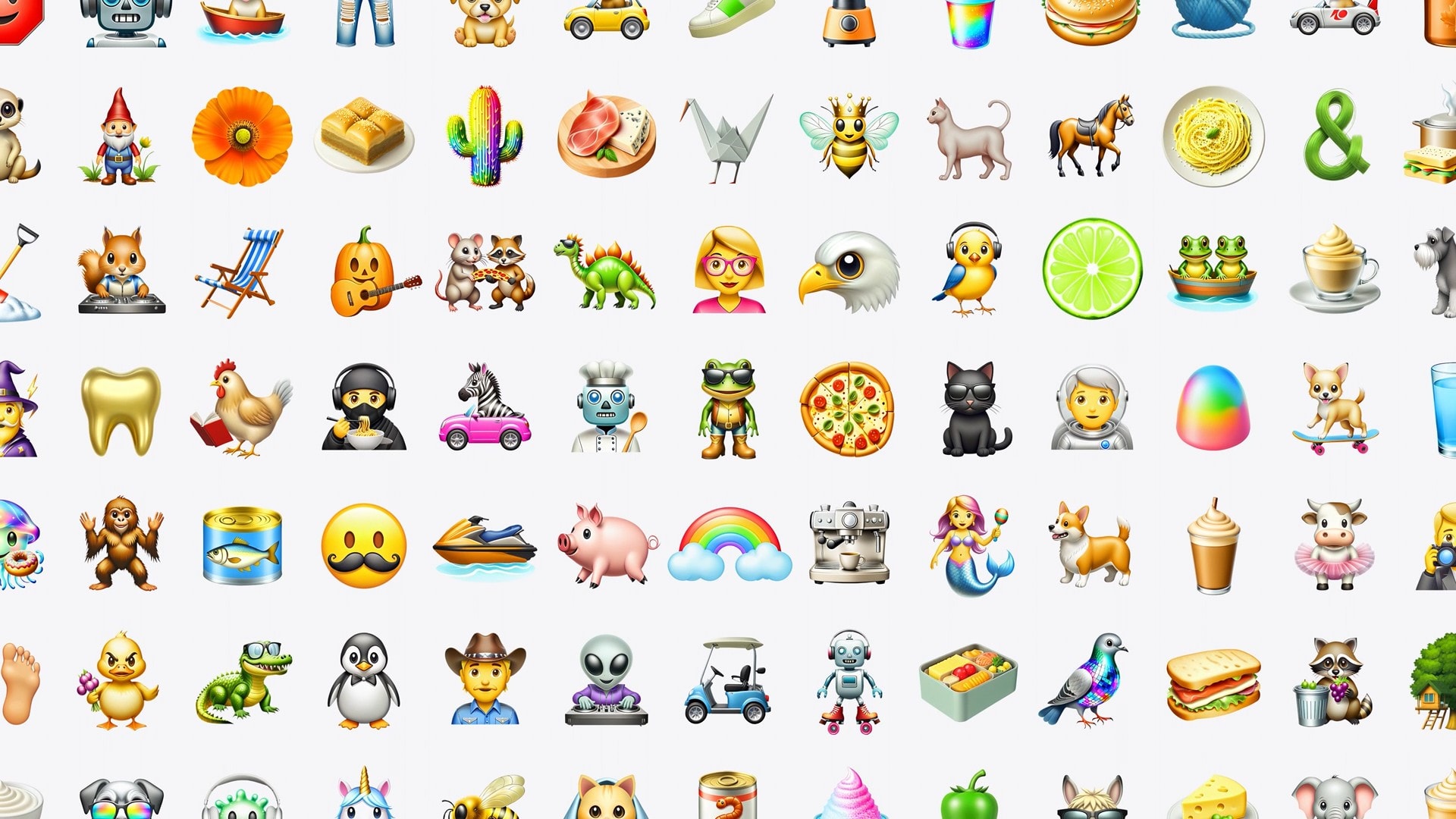
Apple Intelligence allows users to create custom emoji called Genmoji. The highly personal emoji, created via simple prompts, can be based on photos of the user or the user’s contacts. And they can be shared using Apple’s Messages app (including as custom Tapback reactions) as well as updated third-party apps. You can create them just by typing descriptions. Users can pick people in photos and create Genmoji images that resemble them.
Smarter notifications
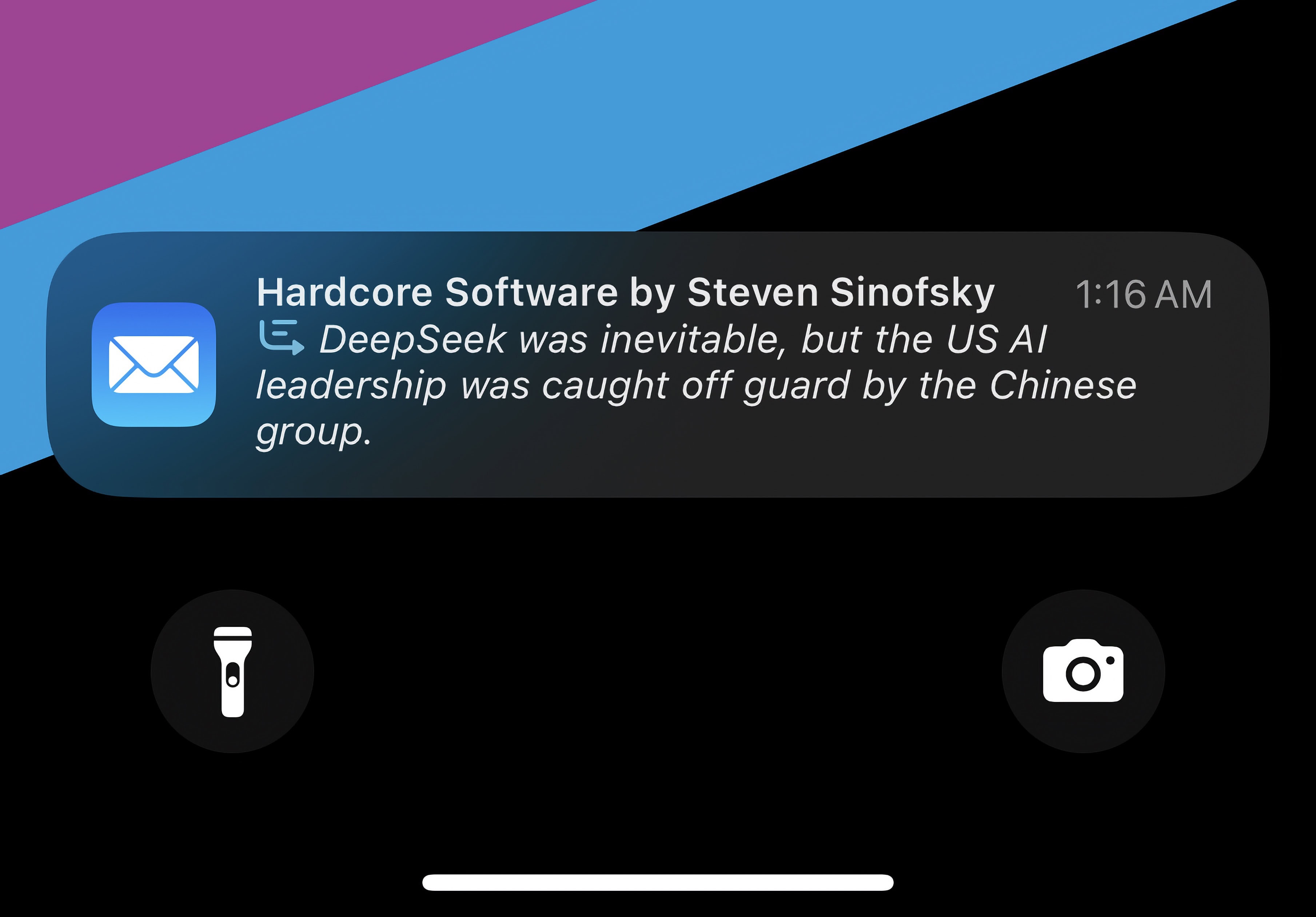
When it’s italicized, you know it’s been written by Apple Intelligence.
If you get a big string of notifications in a row, they’ll be condensed into a summary. It can give you the gist of a particularly noisy group chat without reading through every message.
If a bunch of notifications build up, Priority Notifications will make sure the important ones don’t get buried.
A new Reduce Interruptions Focus mode will intelligently choose which notifications to let through.
Smart inbox in Mail
In Mail, instead of seeing a preview of the first two lines of an email, you’ll see a one-sentence summary of the contents. Emails for two-step verification codes, for example, will always show you the code right in the notification banner.
Mail will also have your most important emails put at the top of your inbox.
Code completion in Xcode and Swift
Xcode 16 can help you write or refactor your code for you.
For software developers, Apple Intelligence brings AI-powered code completion to Xcode, the company’s integrated development environment for Mac. Apple trained Xcode 16’s AI model on the Swift coding language as well as the company’s APIs. It should simplify app development by using AI to properly complete code.
A larger and more powerful cloud-based model, called Swift Assist, will enable fast prototyping of apps. It can generate code as well as sample data that devs can use as they create apps.
Apple Intelligence feature availability
No Apple Intelligence features are present in iOS 18.0.
As many Apple Intelligence features run locally on-device, only the latest devices will support it. Apple Intelligence only runs on Apple silicon chips with a recent Neural Engine and 8 GB of unified memory.
iPhone
Apple Intelligence runs on iPhones with an A17 Pro chip or later.
iPhone 16
iPhone 16 Plus
iPhone 16 Pro
iPhone 16 Pro Max
iPhone 16e
iPhone 15 Pro
iPhone 15 Pro Max
iPad
Apple Intelligence runs on iPads with an M-series or A17 Pro chip.
iPad Air (M3)
iPad Air (M2)
iPad Air (5th generation)
iPad Pro (M4)
iPad Pro 12.9-inch (6th generation)
iPad Pro 11-inch (4th generation)
iPad mini (A17 Pro)
The entry-level iPad does not run Apple Intelligence, as it uses an older A16 chip and doesn’t have enough memory.
Mac
Apple Intelligence runs on any Mac with Apple silicon.
MacBook Air
MacBook Air (M4 ,2025)
MacBook Air (M3, 2024)
MacBook Air (M2, 2022)
MacBook Air (M1, 2020)
MacBook Pro
MacBook Pro (M3, 2023)
MacBook Pro (14- and 16-inch, 2023)
MacBook Pro (M2, 2022)
MacBook Pro (14- and 16-inch, 2021)
MacBook Pro (M1, 2020)
iMac
iMac (M4, 2024)
iMac (M3, 2023)
iMac (M1, 2021)
Mac mini
Mac mini (M2, 2023)
Mac mini (M1, 2020)
Mac Studio (all models)
Mac Pro (2023)
Vision
Apple Intelligence will come to visionOS 2.4 in April, 2025.
Vision Pro (2024)
Apple Intelligence supported languages and regions
In iOS 18.1, Apple Intelligence is only available in U.S. English. Support for other regions will roll out over time.
Apple Intelligence will become available in English localized to Australia, Canada, New Zealand, South Africa and the United Kingdom in iOS 18.2.
In April 2025 with iOS 18.4, Apple will expand this list further by supporting Chinese, English (India), English (Singapore), French, German, Italian, Korean, Japanese, Korean, Spanish and Vietnamese languages.
In European Union member countries, Apple Intelligence is only enabled on the Mac. Users can circumvent this by setting their iPhone or iPad’s region to any non-EU member country and their language to any of those supported. Support will officially come with iOS 18.4.
With visionOS 2.4, Apple Intelligence will run on the Vision Pro in U.S. English.
Latest news
Read Cult of Mac’s latest posts on Apple Intelligence:
A regulatory mess and political uncertainty delay the rollout of Apple Intelligence in China. Photo: Grok
Apple’s much-anticipated launch of Apple Intelligence in China has been indefinitely delayed as the company’s AI partnership with Alibaba faces regulatory roadblocks tied to the intensifying trade war between the United States and China, according to a new report.
The next major macOS release could pack bigger changes than anticipated. Illustration: ChatGPT
WWDC25 is nearly here, with iOS 19 and iPadOS 19 possibly set to steal the spotlight. However, the latest rumors indicate you shouldn’t count macOS 16 out just yet, as it might bring more upgrades than expected. It might not even be called macOS 16, if Apple’s rumored switch to year-based release names happens. (We’ll refer to it as macOS 16 until the big switch happens.)
With June 9 fast approaching, here’s a breakdown of what macOS 16 could bring to the table.
WWDC25 won’t be as Apple Intelligence-packed as last year. Image: Apple/D. Griffin Jones/Cult of Mac
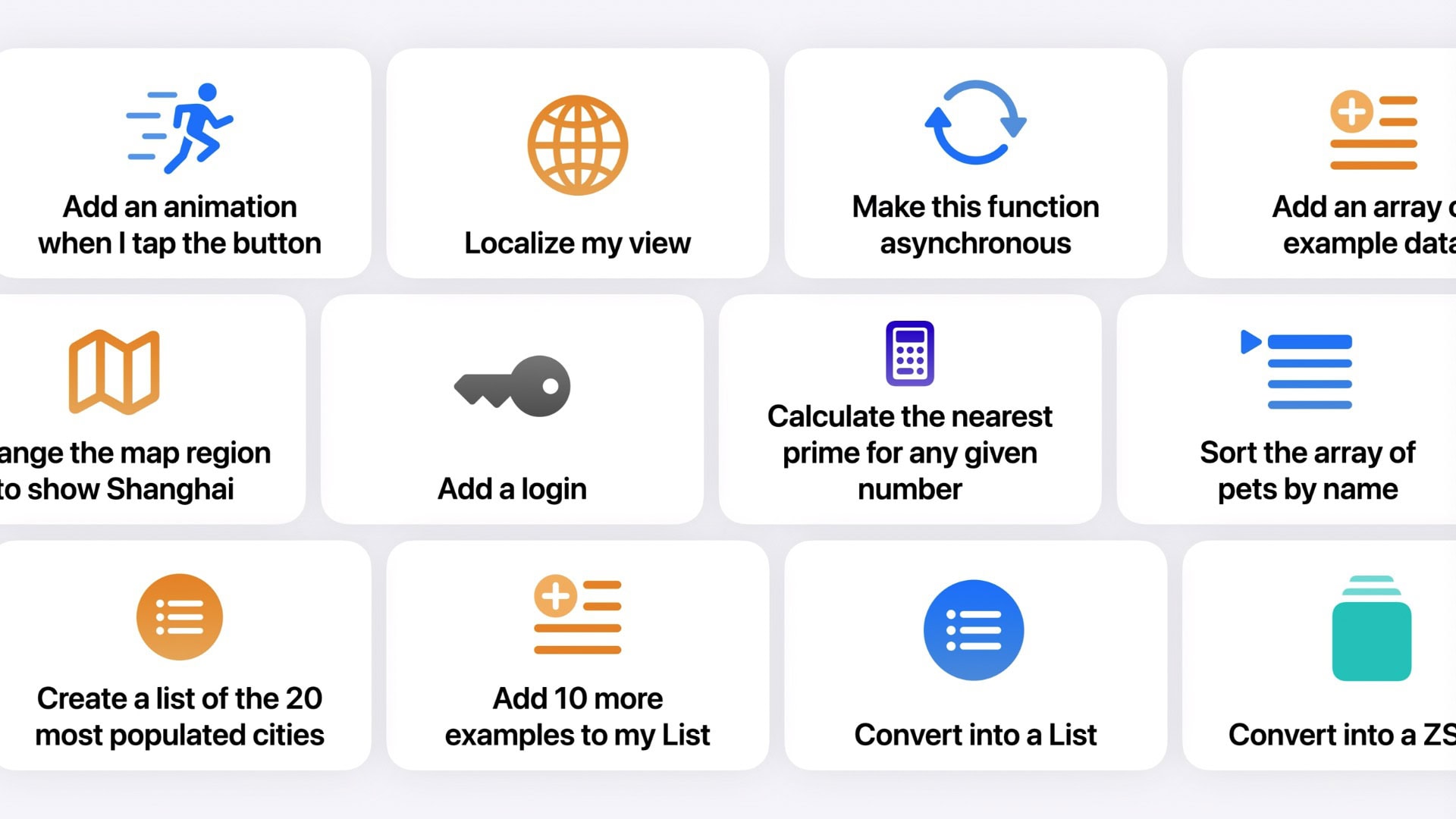
Apple doesn’t have as many Apple Intelligence features to announce at WWDC25 as it did during last year’s developer conference. However, a handful of new AI features should arrive, including Apple Intelligence-generated Shortcuts automations, an Apple Intelligence API for developers, and AI-powered health tips. Apple’s foundation language model itself will also be improved, with versions in four different sizes currently in testing.
Here’s what to expect on Apple Intelligence next Monday during the WWDC25 keynote.
Apple hopes third-party developers will ramp up app development related to Apple Intelligence. Photo: Apple
Hoping to spur innovative software development, Apple plans a strategic move in the artificial intelligence space by allowing third-party developers to access its AI models, according to a new report.
A secret Apple project to make an AI chatbot is bearing fruit. Image: ChatGPT/Cult of Mac
Some Apple executives reportedly think the AI-powered chatbot the company developed in-house is comparable to recent ChatGPT versions. And there’s internal pressure to connect the Siri voice assistant to it.
If true, this shows that while Apple isn’t at the forefront of AI, neither is it languishing at the back of the pack.
Apple is reportedly looking to increase iPhone battery life the smart way. Image: Cult of Mac
Rather than building a bigger battery into the iPhone 17 to extend battery life, Apple reportedly plans to use a smarter power source to achieve the desired result. The company reported is creating an AI system for iOS 19 to “analyze how a person uses their device and make adjustments to conserve energy,” according to a report published Monday.
It could be one of many AI-powered features in the version of the iPhone’s operating system expected to launch this autumn.
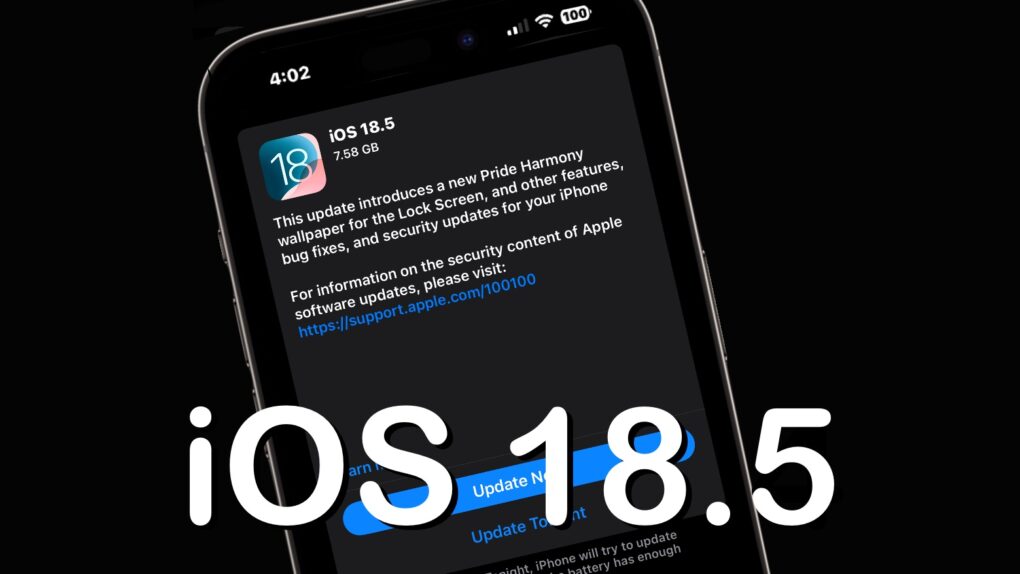
iOS 18.5 is high, but somewhat light on changes. Image: Ed Hardy/Cult of Mac
After over a month of beta testing, iOS 18.5 is now available for all compatible iPhones. Unlike previous point iOS 18 releases, the new build does not pack any significant new features.
The update mainly includes minor changes, but older iPhones will receive one major new feature. Keep reading to know about everything new in iOS 18.5 and iPadOS 18.5.
Incredibly powerful new chips are on the way to help with Apple Intelligence. Photo: Apple
Among various chips Apple currently develops for products like smart glasses and Macs, new AI server chips will help power the Apple Intelligence platform, according to a report Thursday. And the new, immensely powerful AI server chips will be the first of their kind for Apple.
Genmoji can fit every occasion. Image: D. Griffin Jones/Cult of Mac
Using Apple’s Genmoji, you can create custom emoji when you can’t find the exact right one to express yourself nonverbally. The Apple Intelligence feature generates emoji on the fly based on your descriptions.
Finally, you can enhance your conversations about ostriches or shovels or tissue boxes with your own custom emoji. Or make an emoji that matches your pet, like a white cat or a Pomeranian dog. You can even make emoji versions of people you know.
iOS 19 could finally bring deeper Gemini integration to iPhones. Photo: Concept logo: Kevin Kall/Google
Google’s CEO, Sundar Pichai, hopes to strike a deal with Apple to bring Gemini to iPhones by the middle of this year. The CEO revealed this during his testimony in an antitrust trial against Google.
Pichai discussed the possibility of bringing Gemini to iPhones with Apple CEO Tim Cook last year.
Search for products and get information with Visual Intelligence. Image: D. Griffin Jones/Cult of Mac
Apple’s new Visual Intelligence feature provides a quick way to find information just by pointing an iPhone 16’s camera at an object in the real world. Then you can ask ChatGPT to explain what you’re looking at, do a reverse image search to find products and look things up visually, get information on a business as you walk down the street, quickly add events to your calendar and identify plants and animals.
With the release of iOS 18.4, Apple added the capability to use Visual Intelligence on iPhone 15 Pro models. Here’s how it works.
The quotation marks around “art” are doing a lot of heavy lifting there. Image: D. Griffin Jones/Cult of Mac
Image Wand is a new feature in Apple Notes that turns rough sketches into full images — and creates images from scratch based on text prompts. Granted, it’s powered by Image Playground, so the imagery it creates isn’t exactly state of the art. Apple’s image-making tools still lag other AI systems. But if you’re a struggling artist, it may improve your squiggles.
Image Wand is part of Apple Intelligence, the growing set of AI features that work on the latest iPhones, Macs and iPads. It runs entirely on-device, so you don’t have to worry about usage limits, tokens or setting up accounts.
Even the rumored super-slim iPhone 17 "Air" may get 12GB RAM to handle AI tasks. Photo: Ed Hardy/Cult of Mac
Most of Apple’s upcoming iPhone 17 lineup may receive a significant memory upgrade that will power the next generation of Apple Intelligence features, supply chain analyst Ming-Chi Kuo said Thursday. The iPhone Series 17 RAM boost will even come to the rumored ultra-thin iPhone 17 “Air.”
Surprise surprise! U.S. iPhone users are willing to pay for Apple Intelligence. Photo: Apple
Despite all the criticism and negative publicity, more U.S. iPhone users are willing to pay for Apple Intelligence than before. A survey conducted by Morgan Stanley found “stronger-than-expected Apple Intelligence engagement.”
The survey results also suggest that more than 80% of U.S. iPhone users tried Apple Intelligence in the last six months.
The new head of Siri development has one job: make it stink less. AI image: ChatGPT/Cult of Mac
In a shake-up aimed at revitalizing Apple’s aging Siri voice assistant, the iPhone giant brought in Mike Rockwell to lead a comprehensive overhaul now in progress, according to a new report. First, the former head of Vision Pro software continues revitalizing the Siri leadership team in the Vision Pro team’s image.
Apple explains how training its LLMs won’t be a user privacy nightmare. Photo: Apple/Cult of Mac
Apple’s AI efforts don’t have to be hampered by its commitment to user privacy. A blog post published Monday explains how the company can generate the data needed to train its large language models without the privacy violations caused by Apple itself reading people’s emails or messages.
It’s an indirect, opt-in system that takes advantage of the small AIs the Apple builds into millions of users’ devices.
Run DeepSeek or Meta's Llama locally on your Mac! Graphics: Rajesh Pandey/CultOfMac
ChatGPT, Google’s Gemini and Apple Intelligence are powerful, but they all share one major drawback — they need constant access to the internet to work. If you value privacy and want better performance, running a large language model like DeepSeek, Google’s Gemma or Meta’s Llama locally on your Mac is a great alternative.
Think it sounds complicated? It’s easier than you think. With the right tools, you can run DeepSeek or any other popular LLM locally on your Mac with minimal effort.
Apple Intelligence Writing Tools help users rewrite, proofread and summarize text nearly everywhere they write. Photo: Apple
Apple rolled out its visionOS 2.4 update as a bit of a surprise Monday. It marks a significant spatial computing platform update, introducing Apple Intelligence features and new content discovery tools for Vision Pro users.
The wait is over for macOS Sequoia 15.4. Photo: Apple/Cult of Mac
Apple released macOS Sequoia 15.4 for Mac users around the world Monday. The upgrade brings AI-powered automatic categorization of emails in Apple’s Mail app, among other things. Plus, it makes Apple Intelligence available in many more languages and regions.
The launch came earlier than expected — Apple previously said the next macOS version would debut in April.
This one is the emoji update. Image: D. Griffin Jones/Cult of Mac
iOS 18.4, which Apple released Monday, brings several significant new features to iPhones. It is one of the biggest updates to the operating system since the initial public release of iOS 18 in September 2024.
Among other things, the update will also introduce a key Apple Intelligence feature that Apple showcased at WWDC24. Keep reading to learn about all the new features in iOS 18.4 — or watch our video. (Apple also released iPadOS 18.4, macOS Sequoia 15.4 and visionOS 2.4, which include similar upgrades, on Monday.)
The iOS 18.4 Release Candidate means the full version is almost here. Photo: Apple/Cult of Nac
Apple seeded second release candidates of iOS 18.4 and iPadOS 18.4 on Friday, a day after releasing a second release candidate for macOS 15.4. These follow-up releases likely do nothing but fix bugs discovered in the first release candidates of these operating systems, which Apple released Monday.
When the final versions go live sometime in April, the OS updates will give millions of people around the world their first access to Apple Intelligence (and bring other improvements to boot). But they won’t include the much-anticipated smarter version of Siri that Apple promised last year.
It's time to get excited about new features coming soon in iOS 18.4. Logo/Graphics: Apple/Rajesh Pandey/CultOfMac
iOS 18.4 will be one of Apple’s biggest updates to iOS 18 since the operating system’s public release last September. It will pack plenty of changes and improvements, like a Vision Pro app, Apple News+ Food and new emoji.
That all sounds great, but these are the five iOS 18.4 features that I am most excited about.
An Apple executive admits that delaying the AI-enhanced Siri is an embarrassment. AI image: Midjourney/Cult of Mac
The head of the team developing the promised AI-enhanced Siri had to admit the recent decision to significantly delay the release gave Apple’s reputation a major black eye, according to a report published Friday.
Robby Walker, Apple’s senior director of Siri and information intelligence, reportedly called the delay “ugly” during a recent all-hands meeting with his team. He gave an update on how close Apple is to having the technology ready, but couldn’t promise when it will ship. At present, the “smarter” Siri reportedly still fails to work correctly a significant percentage of the time.
It's official: The smarter Siri that Apple touted last year is taking longer than expected. Image: Cult of Mac
Apple confirmed Friday that the smarter Siri promised at WWDC24 isn’t coming together as quickly as anticipated. After touting the minor Siri upgrades that already rolled out, a company statement ended on a depressing note.
“We’ve also been working on a more personalized Siri, giving it more awareness of your personal context, as well as the ability to take action for you within and across your apps,” said Apple spokeswoman Jacqueline Roy. “It’s going to take us longer than we thought to deliver on these features and we anticipate rolling them out in the coming year.”
This confirms multiple previous rumors indicating that users pining for a smarter Siri shouldn’t hold their breath.