The Apple Watch, which started as a tech/fashion accessory and evolved into a health and fitness devices, is the world’s most popular smartwatch. It can handle a wide variety of the iPhone’s most popular functions — alerts, phone calls, playing music, etc. — and also track a user’s heart rate, sleep patterns and other health-related metrics.
It is an “incredibly accurate timepiece, an intimate and immediate communication device and a groundbreaking health and fitness companion,” Apple said at the product’s launch.
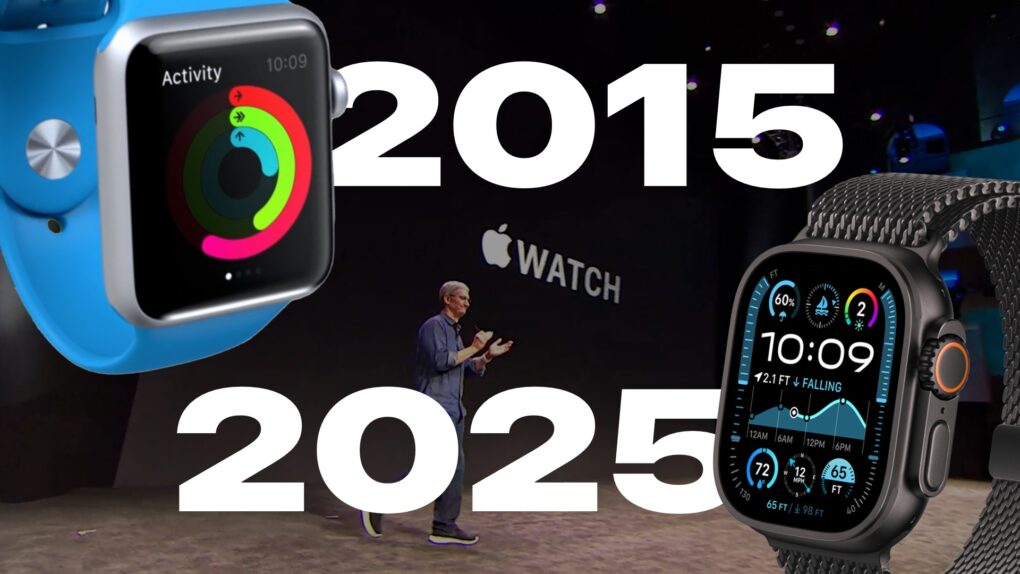
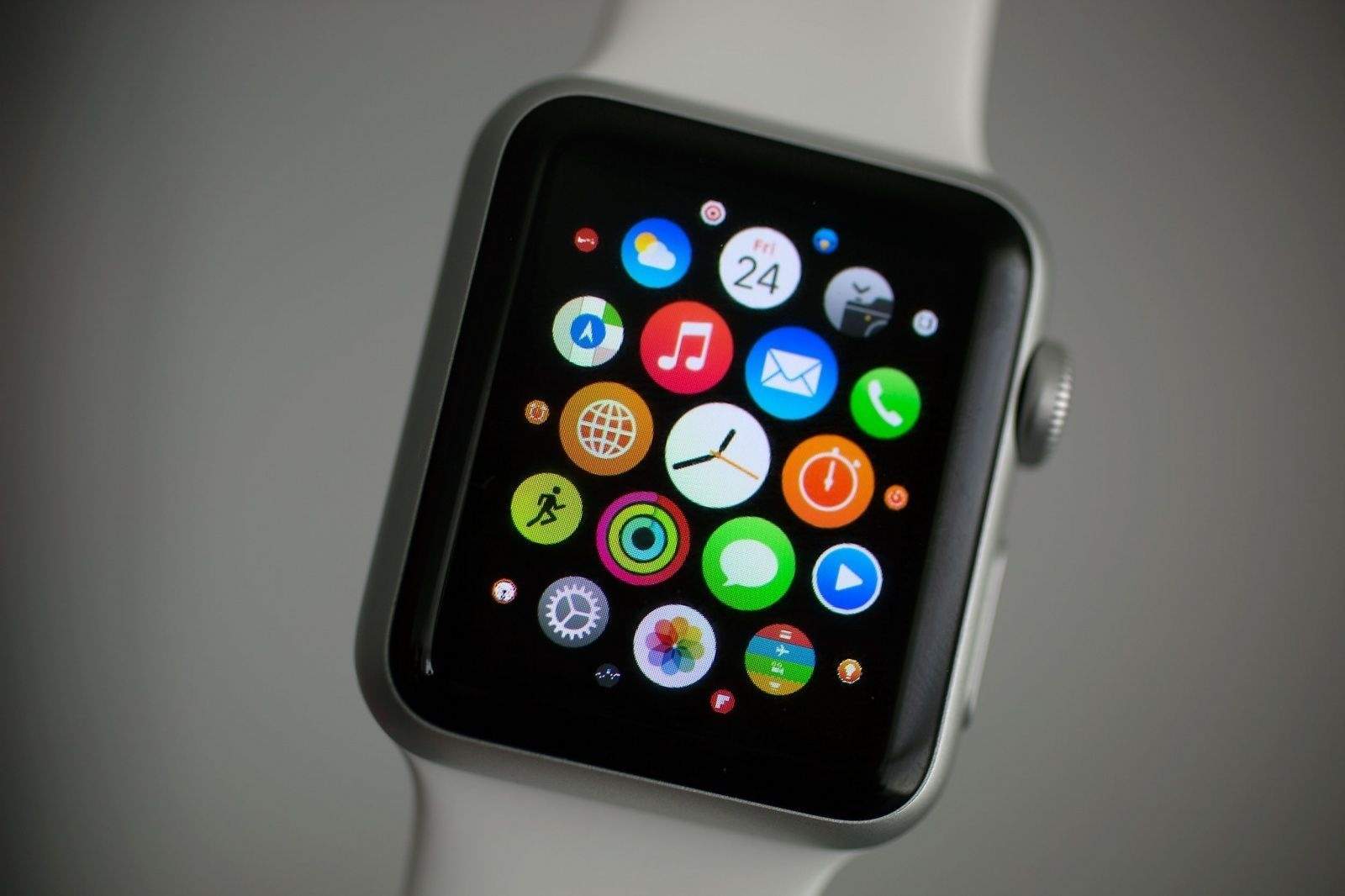
Apple CEO Tim Cook unveiled the original Apple Watch on September 9, 2014, calling it “the most personal device we’ve ever created.” But then the company made anxious consumers wait seven months for the first Apple Watch’s launch on April 24, 2015. With fancy showcases and a $17,000 gold model (called Apple Watch Edition), Apple focused on fashion.
From the very beginning, Apple Watch straps came in a wide variety of colors and were constructed from an array of materials. Plus, they were easily interchangeable, so someone could, for instance, wear a comfortable silicone Apple Watch band during a sweaty gym session, then switch to something much more luxurious for a dinner date.
Additionally, users can customize watch faces, manage notifications and install apps tailored to their preferences, using Apple’s Watch app on the iPhone.
Like the iPhone, the Apple Watch utilizes a touchscreen for most interactions. Apple Watch owners also can use Siri voice commands.
Digital Crown and Taptic Engine
The Apple Watch also introduced several innovative features that set it apart from traditional timepieces. The Digital Crown, a small knob on the side of the watch that doubles as a push button, lets users scroll, zoom and interact with the interface without obstructing the display. The Taptic Engine provides subtle haptic feedback, notifying users of incoming notifications or providing prompts during workouts.
When the Apple Watch was released on April 24, 2015, it was met with both excitement and skepticism. Critics questioned its utility and wondered if it would become a niche gadget. However, consumers quickly embraced its sleek design, customizable interface, and array of features.
Apple Watch is fully integrated with other Apple devices, particularly the iPhone (which is required to use the smartwatch). Apple Watch can, for instance, be used to unlock a Mac. This seamless integration with the Apple ecosystem helped solidify the device’s place in the market. It quickly became the bestselling smartwatch in the world.
watchOS: The Apple Watch operating system
Just as the iPhone runs on iOS, the Apple Watch runs on watchOS. Apple upgrades the operating system every year, adding features exclusive to new devices as well some for older models. New versions of watchOS typically add new Apple Watch faces as well.
watchOS 1 powered the original Apple Watch. It included nearly two dozen stock apps, including Activity, Alarm, Calendar, Camera Remote, Mail, Maps, Messages, Music, Passbook (which will become Wallet in later versions), Phone, Photos, Remote, Settings, Siri, Stocks, Stopwatch, Timer, Weather, Workout and World Clock.
Key additions over the years include:
Home App, Scribble, Emergency SOS and the Breath app (watchOS 3).
Redesigned Music and Workout apps (watchOS 4).
Podcasts app and Walk-Talkie (watchOS 5).
Cycle Tracking, Noise, Calculator and Voice Memos apps, plus a new App Store for Apple Watch apps (watchOS 6).
Blood Oxygen app for Apple Watch Series 6 models, Activity app renamed to Fitness, plus new Memoji app and automatic handwashing detection (watchOS 7).
Crash Detection and Ovulation apps for Apple Watch Series 8 models (watchOS 9).
Double tap gesture for Apple Watch Series 9 and Apple Watch Ultra 2 (watchOS 10).
Apple Watch models
Apple Watch (1st generation)
Released on April 24, 2015, the original Apple Watch came in three models: the entry-level Apple Watch Sport with an aluminum body, the “regular” Apple Watch with a stainless steel casing and the Apple Watch Edition with a gold body, which cost $10,000-plus. All came with a built-in heart rate sensor powered by infrared and visible-light LEDs and photodiodes.
Apple’s first wearable introduced the Digital Crown and the Taptic Engine for subtle taps on the wearer’s wrist. It ran apps and allowed notifications, and offered health- and fitness-tracking capabilities. It allowed customization through Apple Watch faces and a variety of Apple Watch bands. However, the underpowered single-core S1 chip in the first-gen Apple Watch led to laggy performance.
Sizes: 38mm and 42mm
Apple Watch Series 1 and Series 2
Both released on September 16, 2016, these second-gen Apple Watch models benefited from upgraded processors that improved performance. The Series 1 ran on the Apple S1P, a variant of the dual-core Apple S2 chip with the processor’s GPS capability removed. It also added water resistance for swimming.
Apple Watch Series 2 ran on the Apple S2 with GPS enabled for for tracking outdoor workouts. It came with a brighter display and water resistance up to 50 meters. An Apple Watch Series 2 Edition model came with a white ceramic case.
Sizes: 38mm and 42mm
Apple Watch Series 3
Unveiled on September 22, 2017, Apple Watch Series 3 ran on a dual-core Apple S3 chip and came with an altimeter for tracking elevation. A variant with LTE cellular connectivity via an innovative eSIM allowed calls and streaming of Apple Music tracks and podcasts.
Sizes: 38mm and 42mm
Apple Watch Series 4
Announced on September 21, 2018, Apple Watch Series 4 brought the smartwatch’s first big redesign. Thinner bezels meant a bigger display, and the overall design was streamlined. The display was also much brighter than previous models. A new sensor worked with the ECG app to enable electrocardiograms. (Apple received clearance from the U.S. Food and Drug Administration for the watch’s ECG feature.)
With Apple’s S4 chip, a 64-bit dual-core processor, Series 4 also gained a performance boost. The smartwatch’s improved accelerometer and gyroscope boosted fitness tracking. And a new fall-detection feature could automatically call emergency features if the wearer suffered a fall.
Sizes: 40mm and 44mm
Apple Watch Series 5
Unveiled on September 10, 2019, during Apple’s “By Innovation Only” event, the Apple Watch Series 5 was the first model to feature an always-on Retina display. Clever animations allowed apps to “activate” when the watch was lifted, conserving battery power when the watch was lowered. A more energy-efficient Apple S5 chip brought better performance. And a built-in compass appealed to the outdoors crowd. Apple also added an International Emergency Calling feature for cellular models.
Apple Watch Series 5 Edition models arrived in three case options: ceramic and two titanium finishes (natural and space black).
Apple Watch Series 6
Released on September 15, 2020, during Apple’s “Time Flies” event, the Apple Watch Series 6 added a new sensor capable of monitoring the wearer’s blood oxygen saturation (SpO2). Coming at the peak of the COVID-19 pandemic, it was a perfect health-related feature.
The Apple S6 chip brought increased performance, while the Apple U1 chip enabled support for ultra-wideband technology for short-range communication with other compatible devices. The always-on display was 2.5 times brighter than the one in Series 5. Apple Watch Series 6 also added an always-on altimeter, 5 GHz Wi-Fi support and faster charging.
Sizes: 40mm and 44mm
Apple Watch SE
A budget model also released on September 18, 2020, the first-gen Apple Watch SE ran on the Series 5’s S5 chip. It lacked key features such as an always-on display, ECG and blood oxygen sensors, and support for ultra-wideband and 5 GHz Wi-Fi.
Sizes: 40mm and 44mm
Apple Watch Series 7
Released on October 15, 2021, Apple Watch Series 7 boasted a larger, more durable display with even thinner bezels. It added faster charging, slightly longer battery life and anIP6X dust-resistance rating.
Sizes: 41mm and 45mm
Apple Watch Series 8
Announced at Apple’s Far Out event on September 7, 2022, Apple Watch Series 8 added a new temperature sensor to power women’s health features like cycle tracking and ovulation estimates. It runs on a faster Apple SP8 chip and also adds more precise accelerometers, and a new Crash Detection feature that can call authorities after a car or motorcycle accident.
Sizes: 41mm and 45mm
Apple Watch Ultra
Also announced at the Far Out event, Apple Watch Ultra is a beefier model aimed at endurance athletes. A larger titanium case (49mm) with a flat front crystal makes it look more like a rugged sports watch. A brighter display proves better for outdoor activities.
A new Action button, which can trigger a specified app or function with a single touch, makes it easier to use in certain situations (like when wearing ski gloves or underwater). Integrated multi-band GPS, a water temperature sensor and a built-in siren also appeal to outdoor adventurers.
Size: 49mm
Apple Watch SE (second generation)
The final of three smartwatches unveiled at the Far Out event, the second-gen Apple Watch SE also runs on the SP8 chip and offers Crash Detection thanks to advanced accelerometers. However, the updated budget model does not feature an always-on display, a temperature sensor or ECG capabilities.
Sizes: 40mm and 44mm
Apple Watch Series 9
Announced at Apple’s “Wonderlust” event on September 12, 2023, the Apple Watch Series 9 runs on a more-efficient Apple S9 chip with a faster GPU and Neural Engine that enable on-device Siri. The main addition is a new “double tap” gesture: When the wearer taps a thumb and forefinger together, it’s as if they tapped the watch’s touchscreen. Series 9 also added a second-generation UWB chip for increased range and precision.
Sizes: 41mm and 45mm
Apple Watch Ultra 2
Also unveiled at the Wonderlust event, the Apple Watch Ultra 2 packs an even brighter display (up to 3,000 nits) as well as the new S9 chip for on-device Siri. The design remains the same, as do many of the rugged watch’s capabilities.
What's in store for the next version of watchOS? A big name change might be just the start. Image: Graham Bower/Cult of Mac
There’s less than a week to go until WWDC, the annual developer fest where Apple takes the wraps off its latest OS releases. While the rumor mill has mostly focused on iPhone this year, there’s plenty for Apple Watch fans to look forward to.
Rumor has it that the next big watch update — possibly dubbed “watchOS 26,” in line with Apple’s rumored naming convention shakeup — will get a fresh new user interface, Apple Intelligence, conversation transcriptions and a smart AI coach that delivers tailored health and fitness advice.
Let’s roll up our sleeves and take a closer look at what’s in store for Apple Watch.
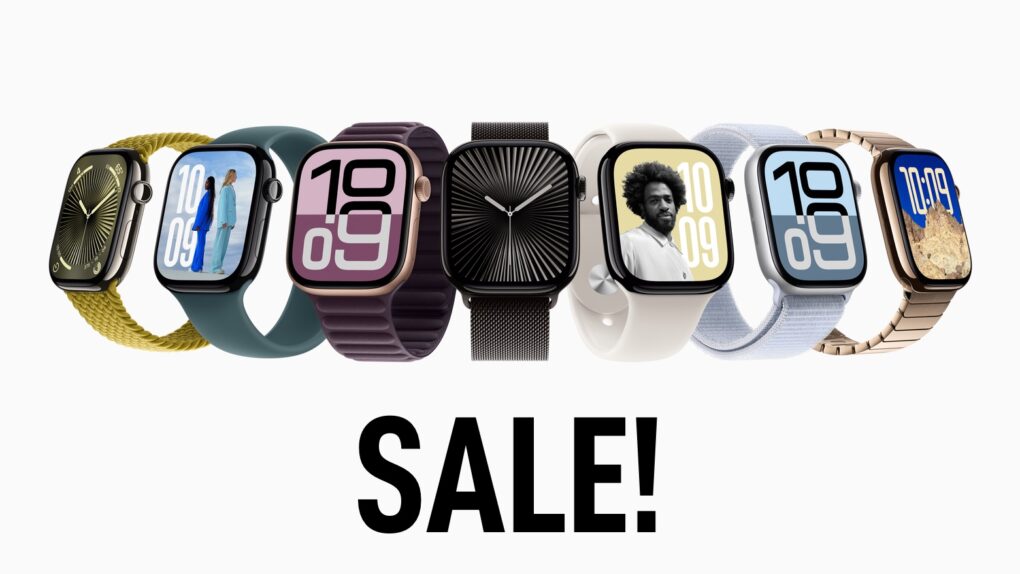
Score an Apple Watch Series 10 at a big discount. Image: Apple/Cult of Mac
A deal at Amazon drops the Apple Watch Series 10 (42mm) back to its lifetime low price of $299. That’s $100 less than the $399 MSRP on a redesigned device that brings key upgrades to the world’s most popular smartwatch. Other deals drop prices by 14% to 23% on GPS only (46mm) and GPS + cellular models (42mm).
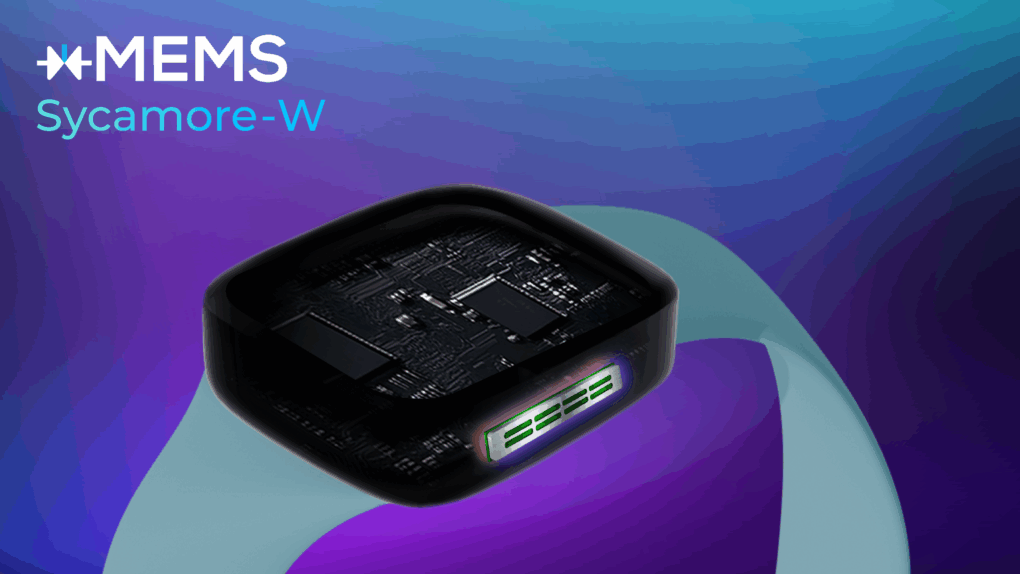
The new speaker is incredibly thin, taking up less space in devices like smartwatches. Photo: xMEMS Labs
A tiny new silicon micro-speaker could transform future wearables — like Apple Watch and other smartwatches — by dramatically reducing thickness while improving audio quality, xMEMS Labs said Tuesday. It unveiled Sycamore-W, an ultra-thin micro speaker engineered for wrist-worn devices. It could make more room in devices as new features like AI interactions become more prevalent.
“Sycamore-W redefines audio for smart watches, combining compact design with robust performance to meet the demands of next-generation wearables,” said Mike Housholder, xMEMS VP of Marketing and Business Development. “As the wrist becomes a key interface for ears-free, hands-free AI interactions, Sycamore-W empowers manufacturers to deliver premium audio in smaller, lighter more durable devices.”
Your Apple Watch is right there, all the time, to help out. Image: D. Griffin Jones/Cult of Mac
The Apple Watch Translate app can help you quickly speak in a different language while you’re abroad, right from your wrist. Translate between 20 different languages by speaking out loud, play translations out of your Apple Watch speaker and build a list of favorite phrases you can play instantly.
Apple Translate doesn’t support as many languages as the more popular Google Translate — but Google doesn’t have an app for the Apple Watch. The fastest and most convenient way to speak another language from your wrist is with Apple’s app.
Apple's first watch was ... well, just a watch, actually. Photo: Jonathan Morrison
May 2, 1995: Apple enters the wearables space with its first watch. However, the first Apple watch is a timepiece with no fitness-tracking tech, no on-screen notifications and a whole lot of 1990s styling.
The device comes two decades before wearables actually will become a thing. A regular wristwatch, the freebie gadget is available via a special mail-in offer to Mac OS upgraders.
Add workouts by hand if you’re missing some. Image: D. Griffin Jones/Cult of Mac
You can manually add a workout to Apple Fitness+ if you need to log some exercise while you weren’t wearing your Apple Watch. Maybe your watch ran out of battery at the start of your run, or maybe you simply forgot to turn it on. By adding a missing workout, you can give yourself credit for the exercise you did.
This power could be used for evil as well as good. You could, hypothetically, say you ran a three-hour marathon every day last week. But you would only be fooling yourself.
To find out how to add a workout to Apple Fitness+, watch our short video or keep reading below.
See which Apple Watch makes the most sense for your lifestyle. Photo: Jim Merithew/Cult of Mac
Confused about which Apple Watch to buy? With Apple Watch Ultra 2, Apple Watch Series 10 and Apple Watch SE currently vying for your wallet’s attention, it all depends on what you want out of a smartwatch — and how much you’re willing to pay.
This buying guide breaks down what each Apple Watch does best, helping you match your needs (and budget) with the right device, whether you’re a fitness enthusiast, an outdoor adventurer or simply looking for a reliable, everyday smartwatch.
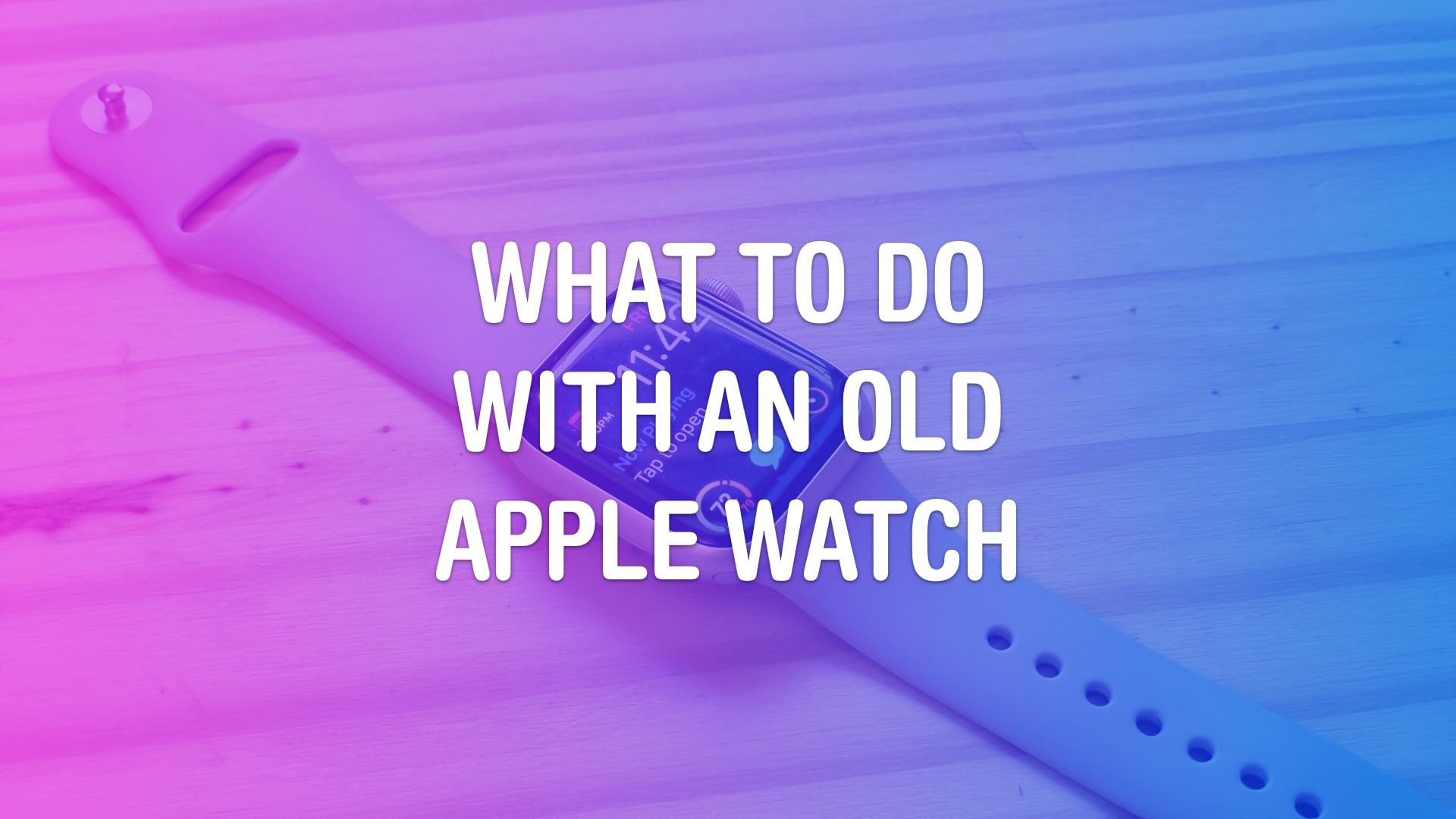
Here are six useful things you should consider before you chuck it in a drawer. Image: D. Griffin Jones/Cult of Mac
There are a few useful things you can do with an old Apple Watch after you upgrade to a new one. You might think of the Apple Watch as being a disposable product — because who would wear two watches? But there are actually quite a few surprising use cases for having a daily Apple Watch and a secondary watch.
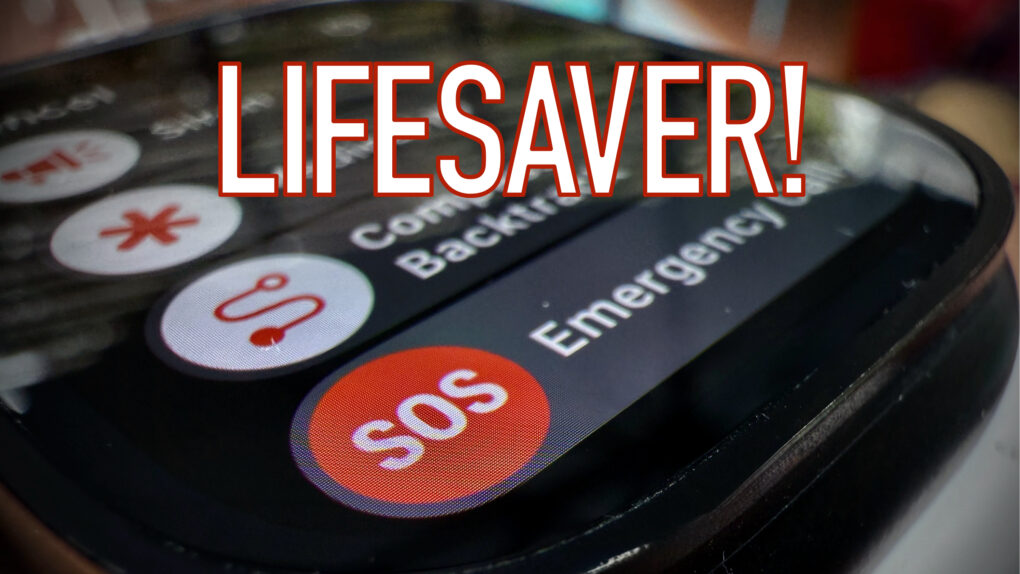
Apple Watch has helped save plenty of lives. Photo: Leander Kahney/Cult of Mac
The Apple Watch repeatedly saves lives around the world, thanks to its health monitoring features and emergency functions.
Here’s a comprehensive roundup of some of the most notable ways Apple Watch has saved people’s lives. From fit teenagers with undiagnosed health problems to car crash victims in danger of drowning, Apple’s smartwatch helps people cheat death in remarkable ways.
The Apple Watch is the first major new product launch of the post-Steve Jobs era. Photo: Jim Merithew/Cult of Mac
April 24, 2015: The original Apple Watch launch means consumers, who endured a seven-month wait after the device’s unveiling at a keynote the previous September, can finally strap an Apple wearable onto their wrists.
Apple CEO Tim Cook describes the smartwatch as the “next chapter in Apple history.” Behind the scenes, however, the first Apple Watch launch is a moment long in the making.
Technically it was announced in 2014, so it’s a little over ten years. Image: Apple/D. Griffin Jones/Cult of Mac
For the 10th anniversary of its launch, we compiled over a decade of Apple Watch history into a quick timeline. Starting with the original three collections — including models in solid 18 karat gold — all the way to today’s far more advanced (and sensible) Apple Watch Series 10 and Ultra 2.
The Apple Watch was the first major product introduction of Tim Cook’s reign as Apple CEO. There was immense pressure on Apple to prove that it could still innovate without Steve Jobs. While the Apple Watch wasn’t as flashy as the iPhone and iPad, it’s grown into an incredible business rife with breakthrough technology, in one of the most physically constrained form factors yet.
Apple Watch users who close their Activity rings on April 24 can earn a special Global Close Your Rings Day limited-edition award. Photo: Apple
With Global Close Your Rings Day upon us, Apple Watch owners around the world showed off the pins they earned Thursday by participating in Apple’s fitness-oriented special event. The day marks a decade of Apple Watch Activity rings helping keep users active for their health.
“Apple Watch has changed the way people think about, monitor and engage with their fitness and health,” said Jeff Williams, Apple’s chief operating officer, in a press release Monday announcing the event. “A decade ago, we introduced Activity rings — and since then, Apple Watch has grown to offer an extensive set of features designed to empower every user. People write to us almost every day sharing how Apple Watch has made a difference in their life, from motivating them to move more throughout the day, to changing the trajectory of their health.”
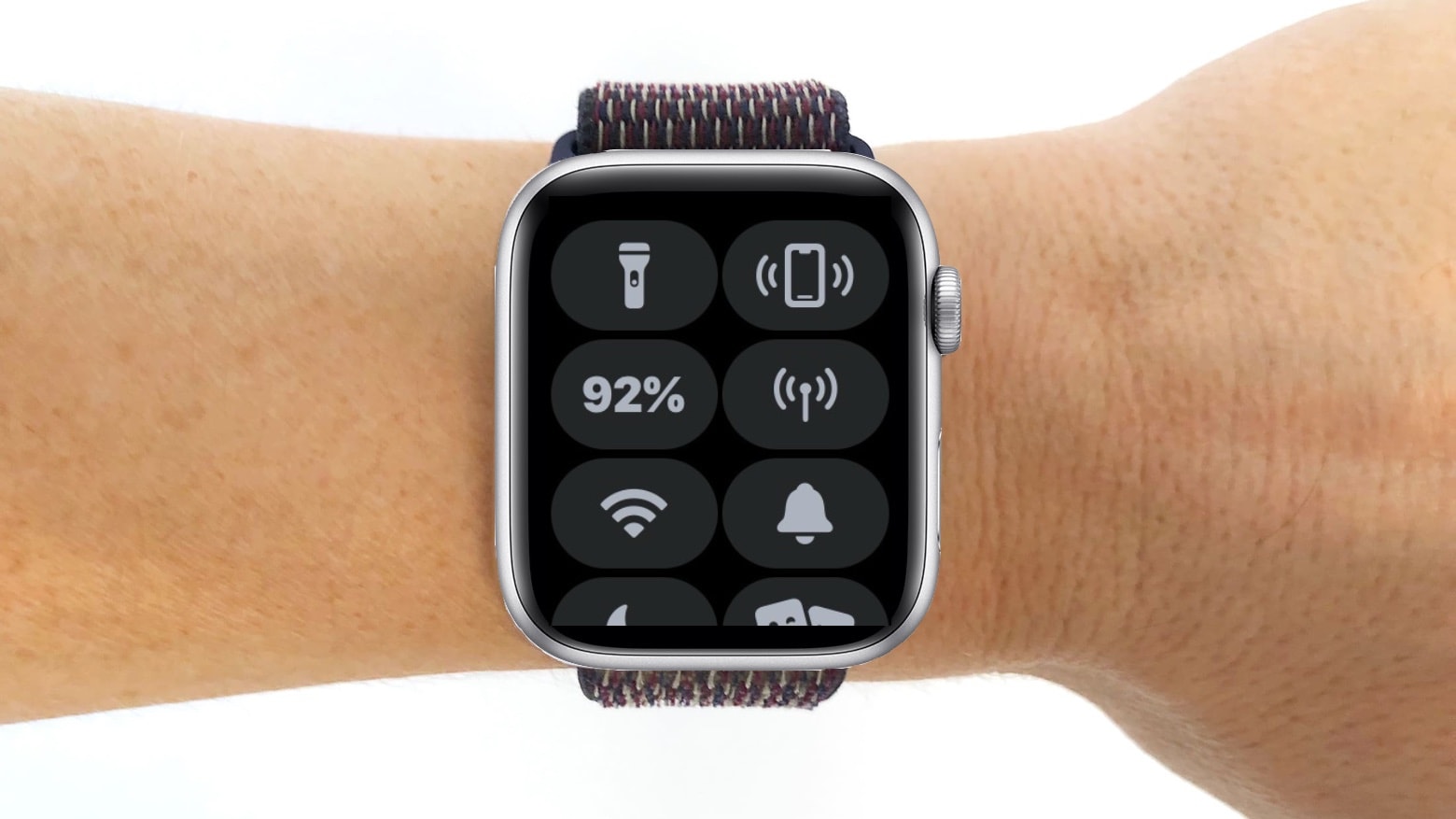
The Apple Watch Control Center has some nifty features you should be aware of. Photo: Cult of Mac
Apple Watch does so much that it’s possible for some of its handy tricks to get lost. You can’t call these three Apple Watch tips marquee features. But they can make life just a bit more convenient.
Here’s how to turn on the flashlight, find your iPhone and silence alarms on your iPhone from an Apple Watch.
Sometimes, your Apple Watch really is better than your iPhone. Image: Ed Hardy/Cult of Mac
It’s time to break the habit of doing everything on your iPhone while overlooking what’s often a better alternative. Consider the Apple Watch pros: It’s a very capable little computer, and it’s right there on your wrist. Odds are you aren‘t taking advantage of half of what it can do for you.
Here are the simple tasks I used to do on my iPhone that are now easier because I do them on my Apple Watch. And all without needing any third-party software. The only apps required come preinstalled on every Apple Watch.
Don't get your Move and Exercise rings mixed up Image: Graham Bower/Cult of Mac
Closing your three Apple Watch Activity rings can become such an obsession that it’s easy to forget why you’re doing it. But what does it really mean to close an Apple Watch ring? The Stand ring seems obvious. We all know we shouldn’t sit around on our asses all day. But how about the Move and Exercise rings, which sound so similar?
Actually, no. The Apple Watch’s Move and Exercise rings are very different, and understanding that difference is massively important if you want to achieve your fitness goals.
Make your Apple Watch useful for more than health tracking. Image: Ed Hardy/Cult of Mac
Odds are, you’re not taking advantage of all the useful things your Apple Watch can do for you. That’s because we all tend to grab our iPhone, even when it’s not the best option. I started using my smartwatch much more after I began asking myself one simple question whenever I grab my iPhone: “Would this be easier on my Apple Watch?”
Apple Watch Emergency SOS leads to a dramatic helicopter rescue Down Under. Photo: Surf Life Saving NSW
In a harrowing incident off the coast of Australia, an experienced swimmer’s routine morning body surfing session turned potentially deadly after riptides took him out to sea. Fortunately, 49-year-old Rick Shearman remembered the SOS feature on his Apple Watch Ultra. Using it led to a dramatic helicopter rescue that saved his life on July 13, 2024.
Update: Apple Australia’s YouTube channel posted a new video Thursday, below, dramatizing Shearman’s rescue. It recreates his desperate SOS call, his struggles amid huge swells and the dramatic relief when the rescue helicopter appears overhead. The video only lasts a minute, but by the end, with music swelling, it might bring you to tears.
Apple's Vitals app noticed the repeatedly elevated heart rate that sent her to the doctor, resulting in the alarming diagnosis. Photo: Apple
We hear plenty of stories about Apple Watch saving lives, but they rarely if ever involve cancer — until now. According to news from down under, Apple Watch’s persistent alerts about an elevated heart rate helped save a New Zealand psychiatrist’s life, leading to a diagnosis of acute myeloid leukemia just hours before potential organ failure.
Apple deals abound in Amazon's Big Spring Sale through March 31. Photo: Amazon
Amazon is famous for its Prime Day and Black Friday deals, but it also runs the Amazon Big Spring Sale, on now. It ends Monday, March 31, unless extended. That wouldn’t be too surprising, given that the mega retailer often extends its sales. So it’s another chance for you to score savings on all sorts of Apple gear, including MacBook Pro, MacBook Air, Mac mini, iPad Pro, iPad Air, Apple Watch, AirPods Pro 2 and more. Click on our posts to all the best deals, below.
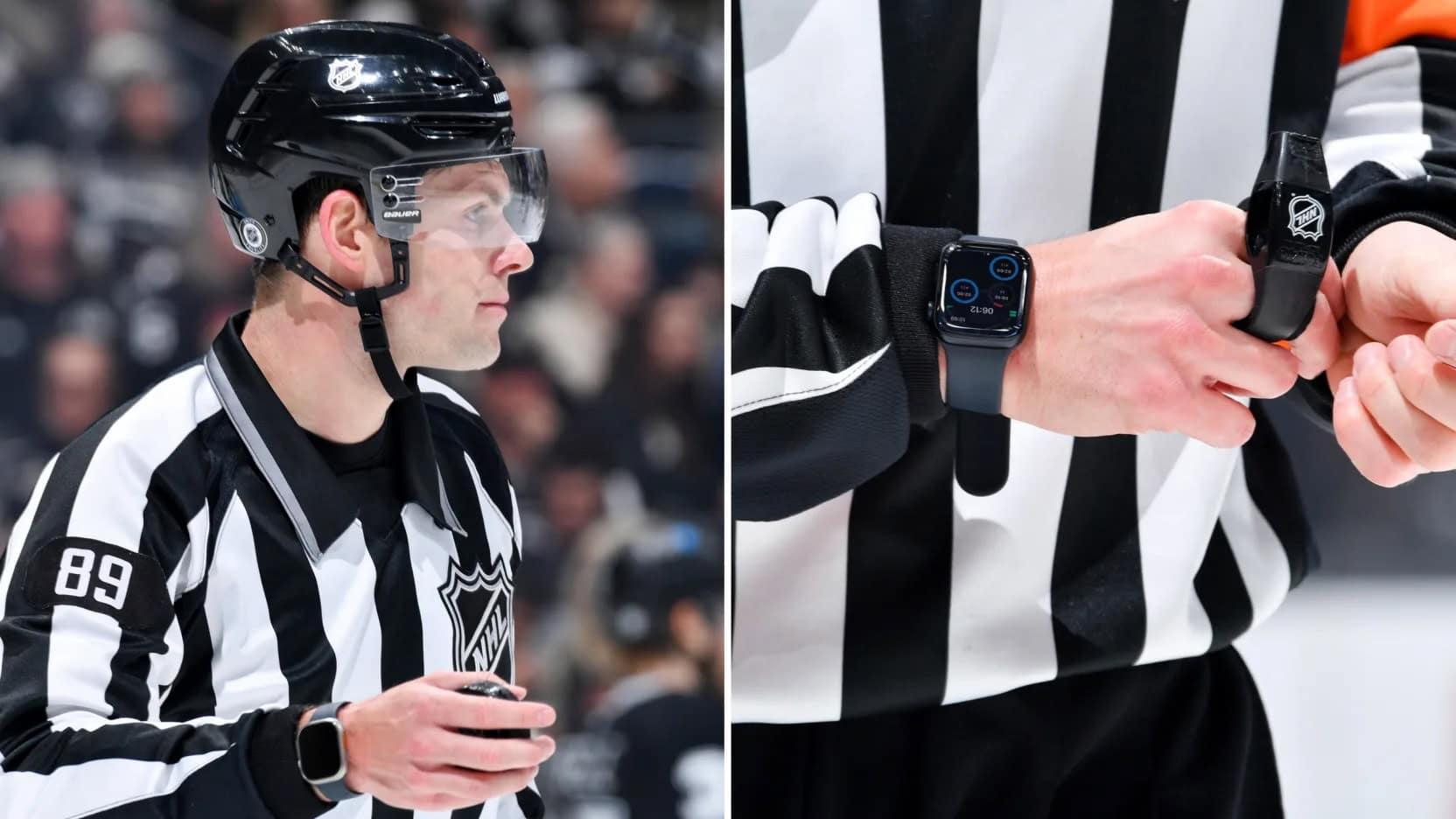
With the speed and complexity of hockey games, an Apple Watch with a custom app helps refs keep track of everything. Photo: NHL
Apple and the National Hockey League forged a partnership that puts Apple Watch at the center of game officiating, according to reports Friday. The collaboration introduced a custom-built NHL Watch Comms app designed specifically to assist on-ice officials during games, and it will see its first outdoor use Saturday.
“We wanted to make sure that the officials had really good awareness and were able to keep their eyes on play,” explains Andres de Corral, vice president of digital services at Presidio, the technology firm that developed the app. “So by enabling haptic responses, we were able to provide non-visual cues to the officials.”
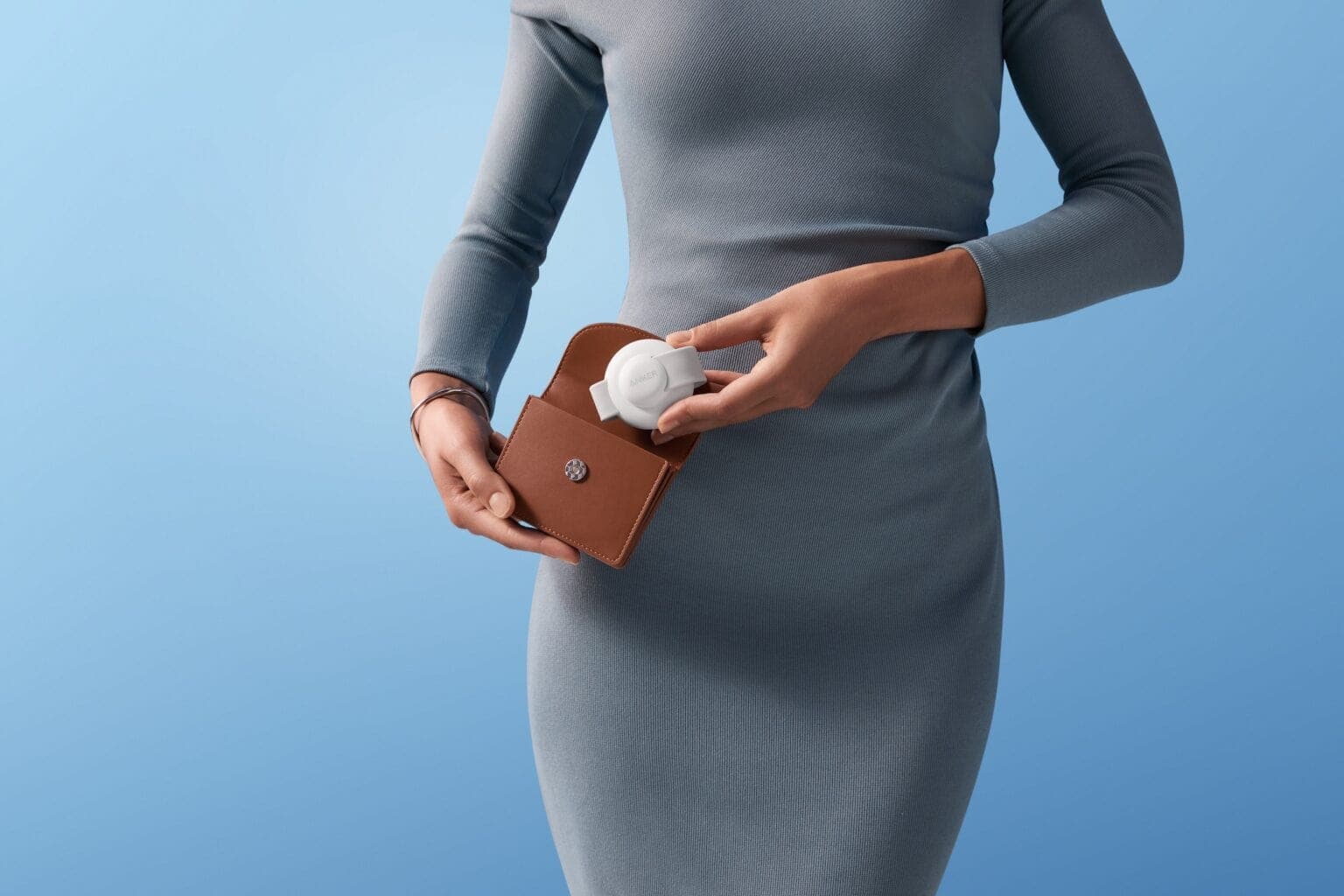
Anker's little 3-in-1 charger folds up tiny to go. Photo: Anker
How many times have you been out and about only to find your iPhone, Apple Watch or AirPods battery dead or running on empty right when you need it? That’s why Anker offered its MagGo 3-in-1 Wireless Charging Station. It folds up tiny so you can forget about it in your bag or coat pocket until the need for charging arises. And right now you can get the snappy little charger on sale at Amazon.
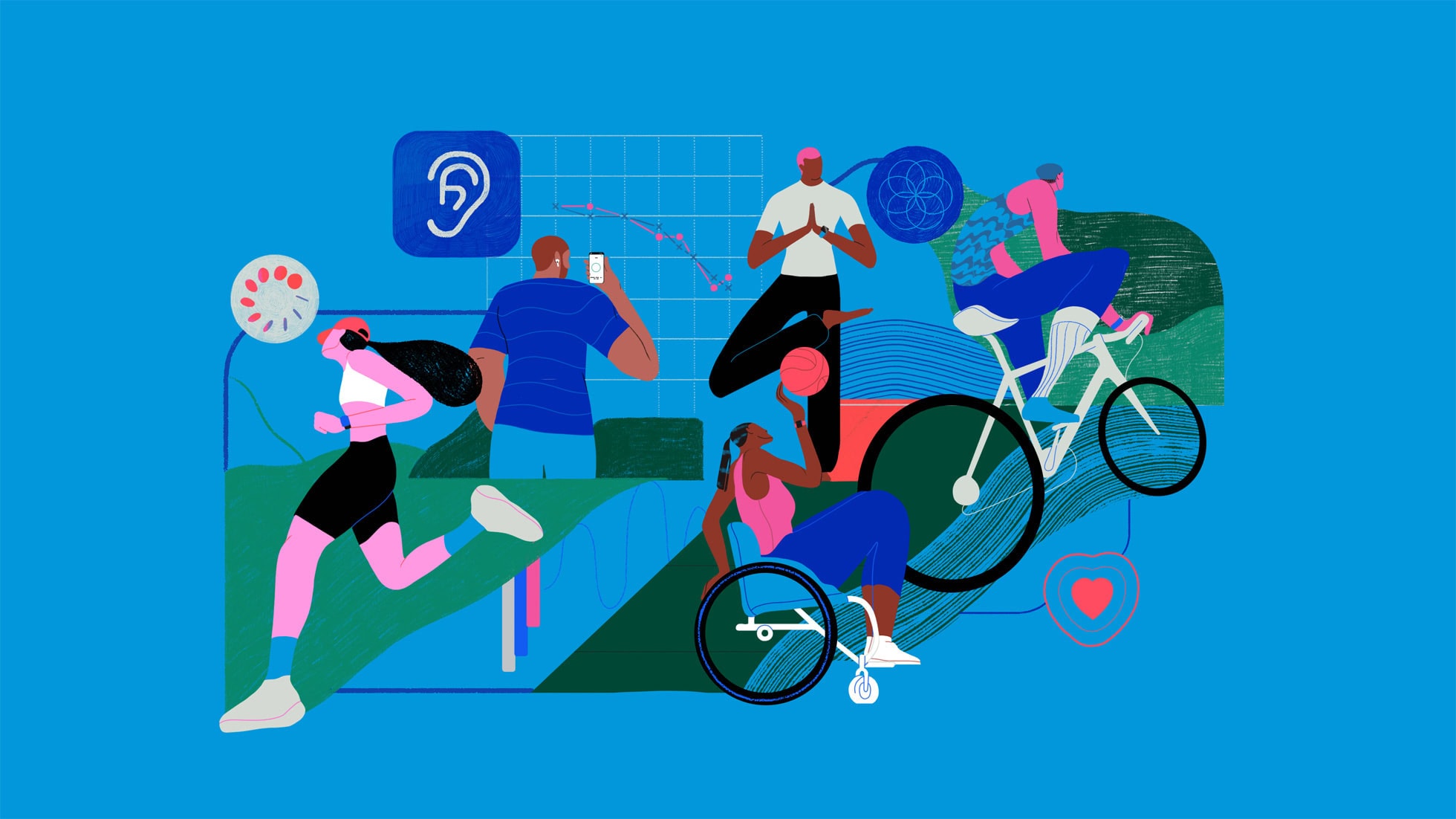
The Apple Health Study comprehensively examines the connection between health and tech. Photo: Apple
Apple’s comprehensive new health study, its largest yet, investigates how its mobile devices and other technology can improve users’ physical and mental well-being, the iPhone giant said Wednesday. The Apple Health Study, now available through the just-updated Research app, comes in collaboration with Brigham and Women’s Hospital, a Harvard Medical School teaching affiliate.
“We’ve only just begun to scratch the surface of how technology can improve our understanding of human health,” said cardiologist and Harvard Medical School professor Calum MacRae, M.D., Ph.D., the study’s principal investigator. “We are excited to be part of the Apple Health Study, as it will continue to explore connections across different areas of health using technology that so many people carry with them every day.”
One of the best iPhone features. Image: D. Griffin Jones/Cult of Mac
Find My iPhone, a feature available in Apple’s Find My app, will help you locate your lost phone. You can find it using any other Apple device you own or by borrowing a friend’s device. You can even ping your iPhone from your Apple Watch.
From Find My, you can also remotely lock down your lost iPhone, put the device into a special Lost Mode, or even wipe its contents. You should take a peek at this incredibly useful app before you have to.
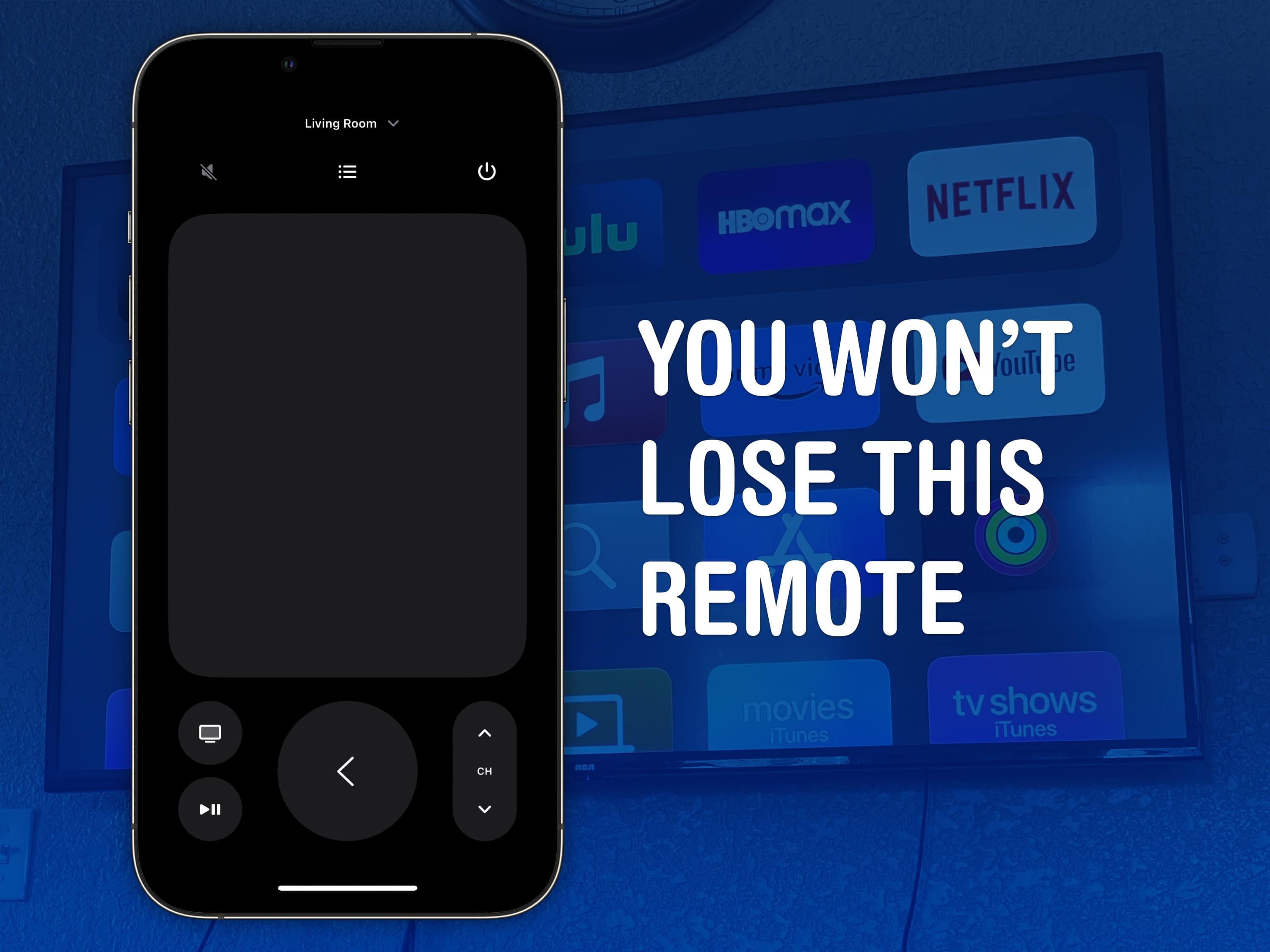
The Apple TV remote is easy to lose, but it’s harder to lose your phone — much less the Apple Watch strapped to your arm. Image: D. Griffin Jones/Cult of Mac
You can use your iPhone (or even your Apple Watch!) as a remote for your Apple TV. It’s a convenient feature when you’ve lost the remote in the couch cushions. (You can use your iPhone to help find it as well.)
Even if your remote’s not gone missing, sometimes it’s sitting on the table way over there and you don’t want to interrupt a show by asking for someone to pass it to you. Or maybe, someone is intentionally hogging the remote and you want to pause the video yourself. Either way, it’s really easy to do from an iPhone or an Apple Watch.


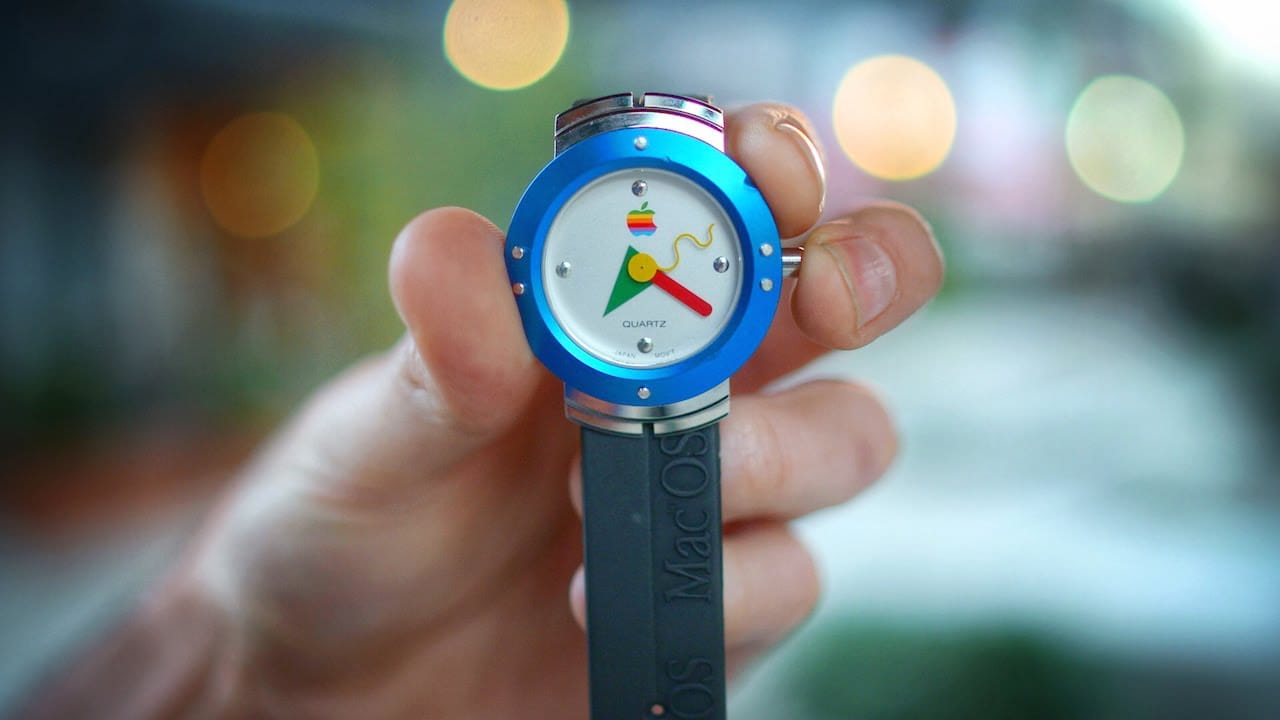
 May 2, 1995: Apple enters the wearables space with its first watch. However, the first Apple watch is a timepiece with no fitness-tracking tech, no on-screen notifications and a whole lot of 1990s styling.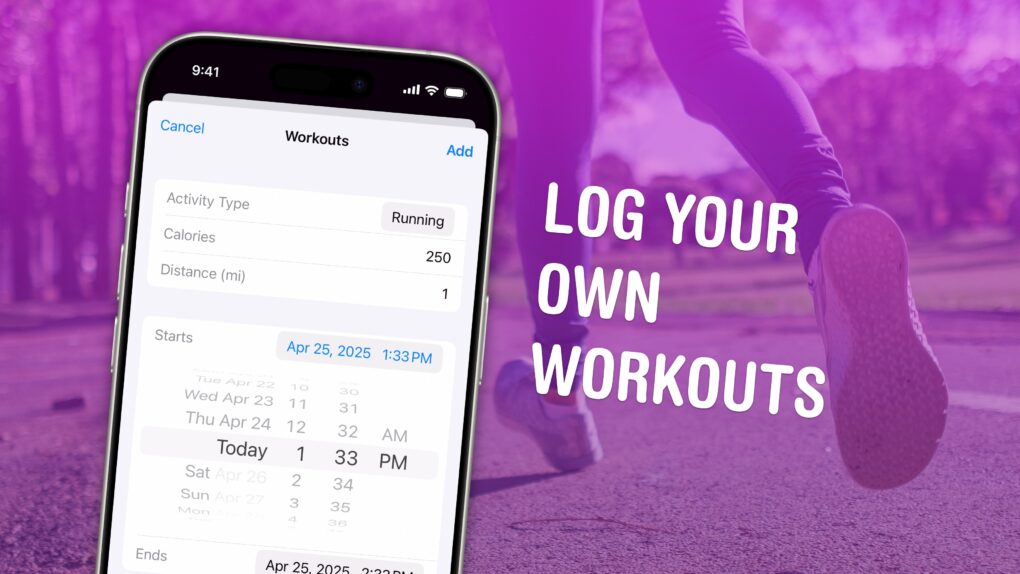
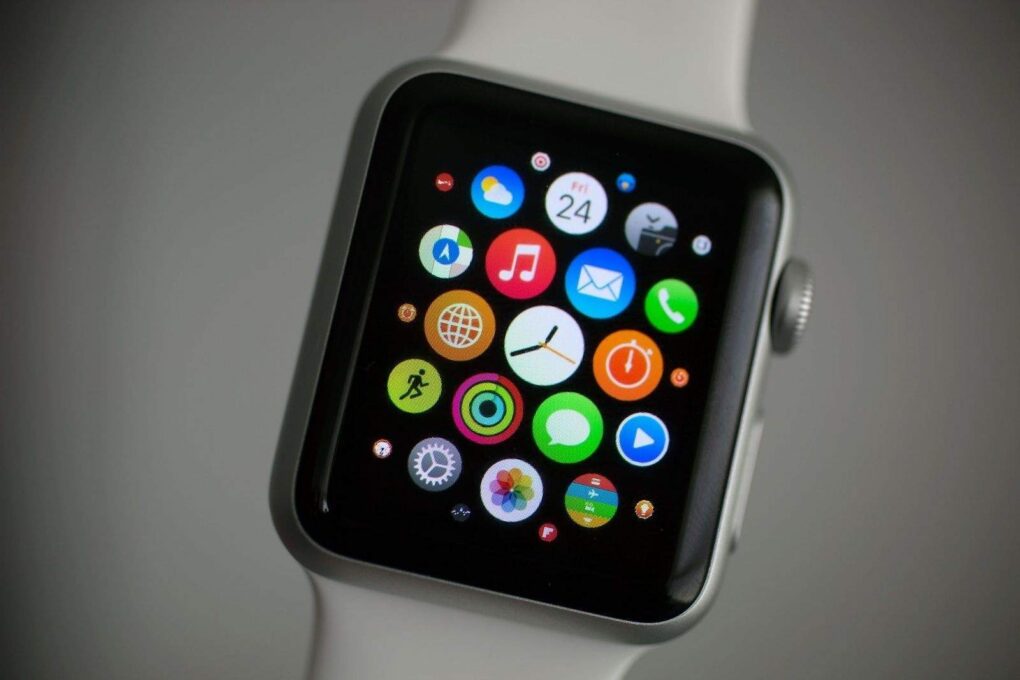
 April 24, 2015: The original Apple Watch launch means consumers, who endured a seven-month wait after the device’s unveiling at a keynote the previous September, can finally strap an Apple wearable onto their wrists.